

Install CC Switch
- macOS
- Windows
- Linux
Homebrew is the easiest option. You can also download the latest
.dmg or .zip from GitHub Releases.What to prepare
- LLMEasy API Key (register here)
- Claude Code uses the Anthropic protocol, so its
Base URLishttps://www.llmeasy.ru - Codex, OpenCode, and OpenClaw use the OpenAI-compatible protocol, so their
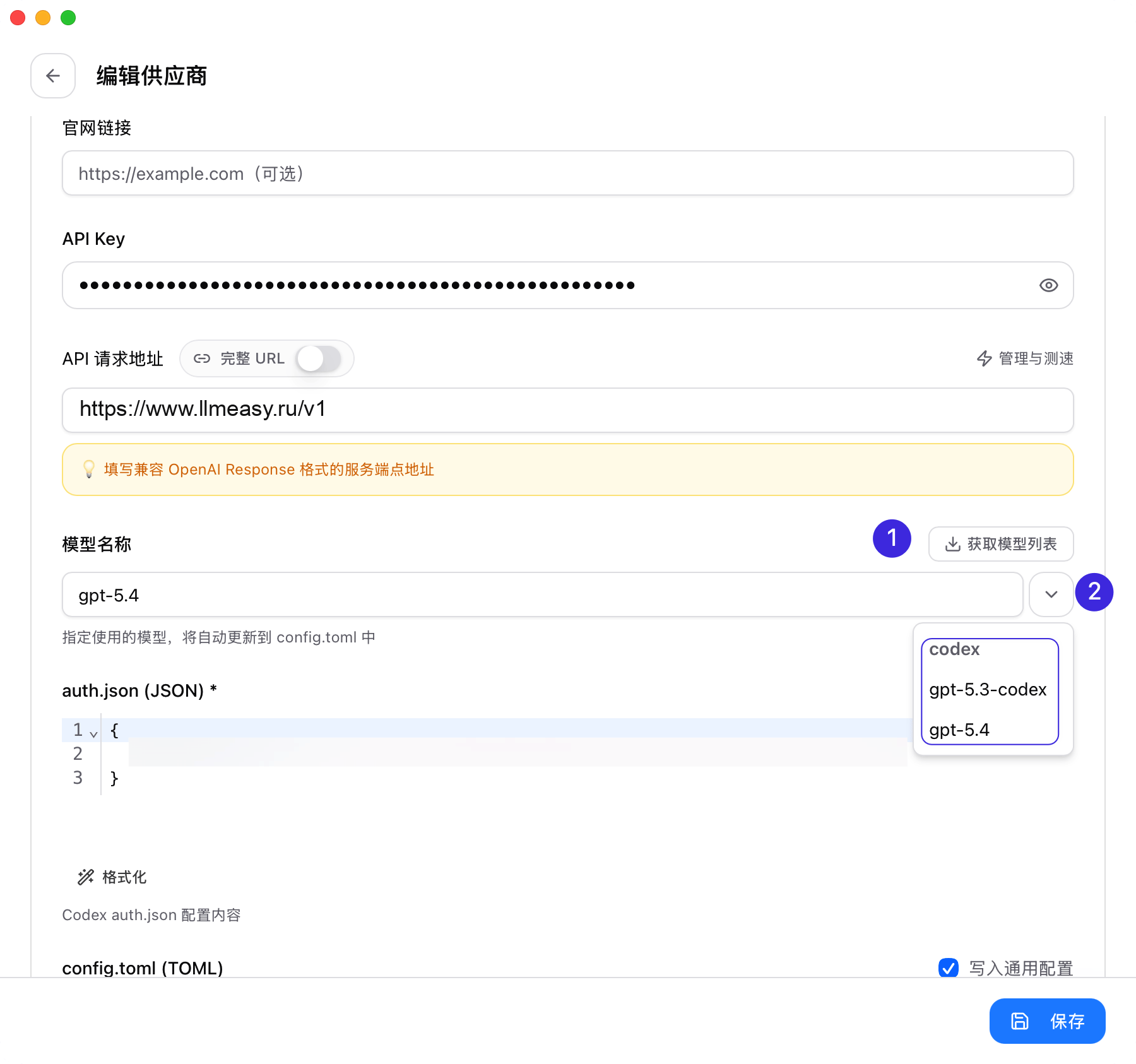
Base URLishttps://www.llmeasy.ru/v1 - Prepare one current GPT Key group model ID for Codex, OpenCode, and OpenClaw. You can copy it from the LLMEasy model plaza, or let CC Switch fetch it from
/v1/models
On first launch, CC Switch automatically imports the configs it already finds on your machine. You can keep your official provider as a fallback and add LLMEasy alongside it.
LLMEasy uses two access modes: Anthropic and OpenAI-compatible. To avoid mixing
https://www.llmeasy.ru with https://www.llmeasy.ru/v1, it is better to create providers per app instead of trying to force Claude Code and the OpenAI-compatible tools into one universal provider.Add a LLMEasy provider
- Claude Code
- Codex
- OpenCode
- OpenClaw
Open Claude Code in CC Switch and add a provider
Open CC Switch, switch to Claude Code, and click Add Provider.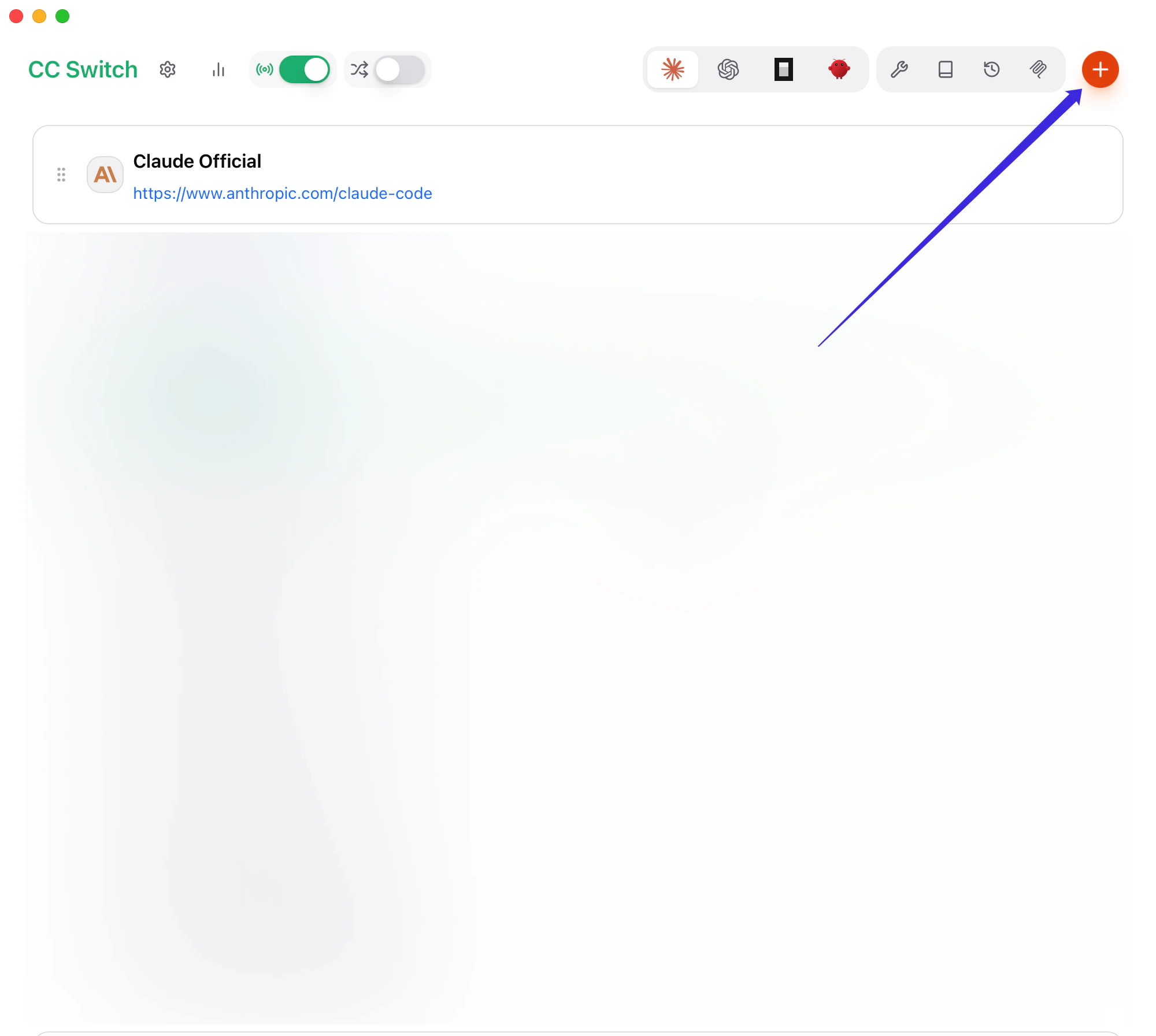
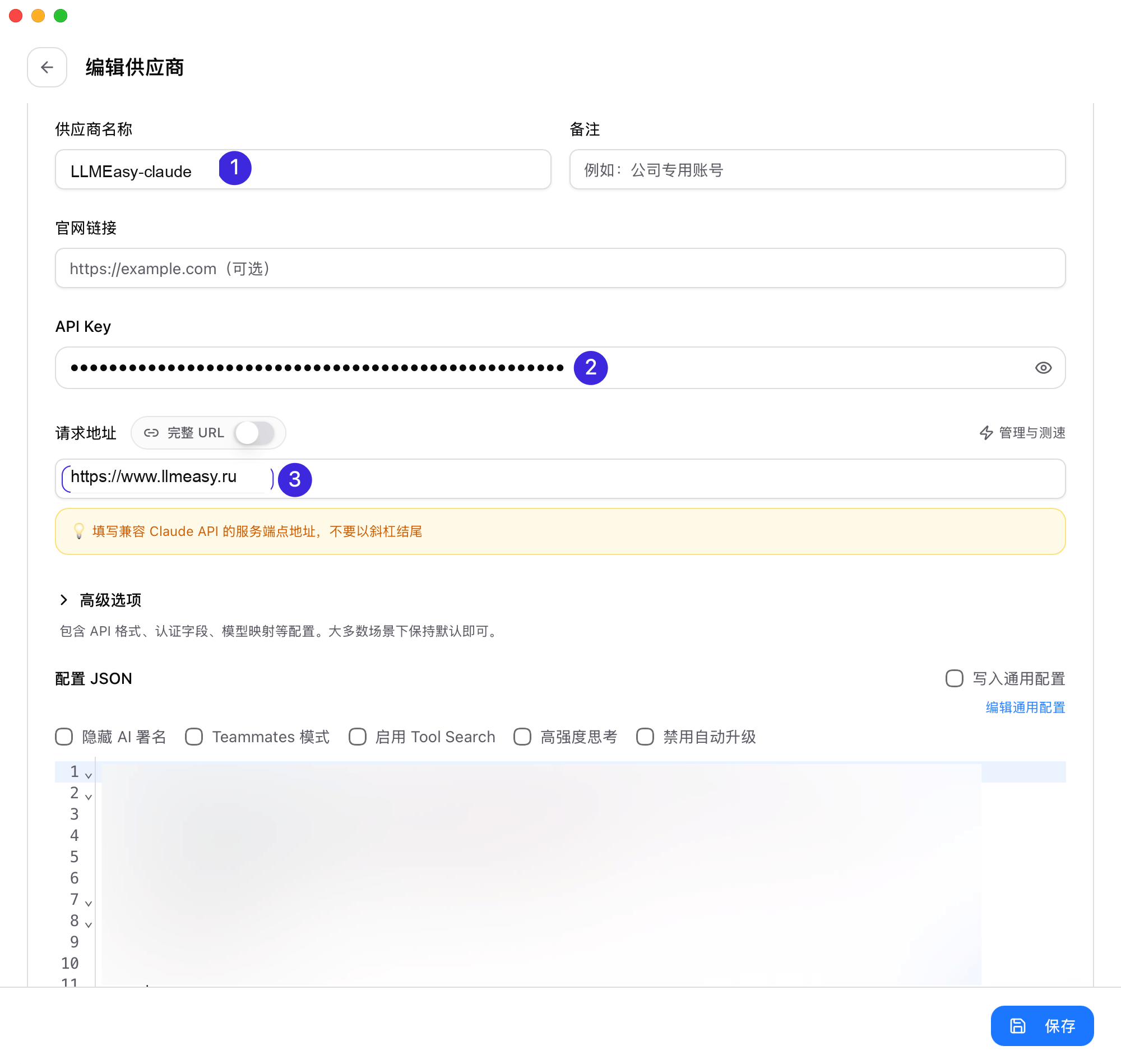
Fill the basic fields
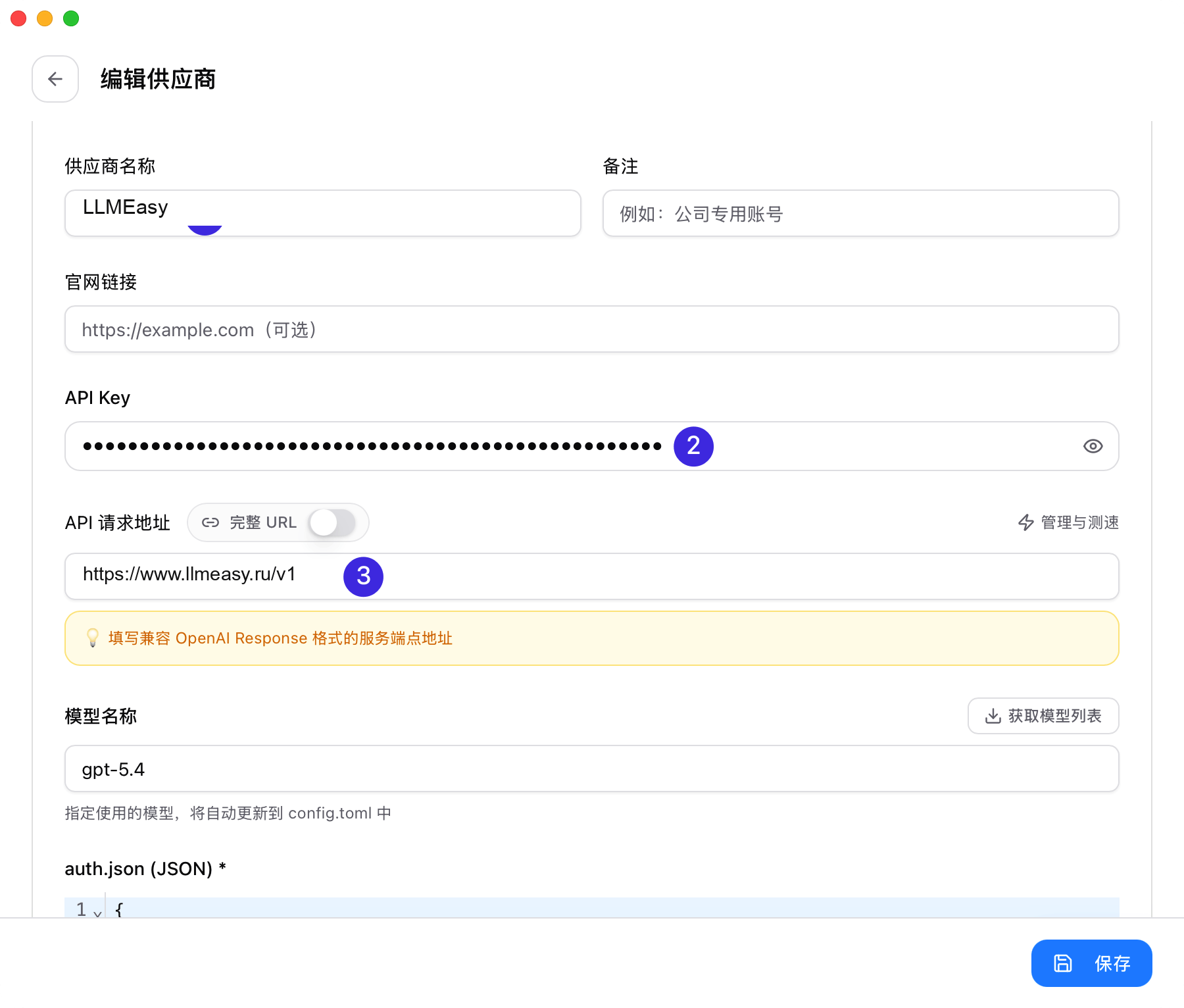
- Provider Name:
LLMEasy - Base URL:
https://www.llmeasy.ru - API Key: your LLMEasy API Key
- Provider Name
- API Key
- Base URL
Handle model mapping based on your Key group
- If you use the Claude Key group, you usually do not need to change the advanced options or model mapping
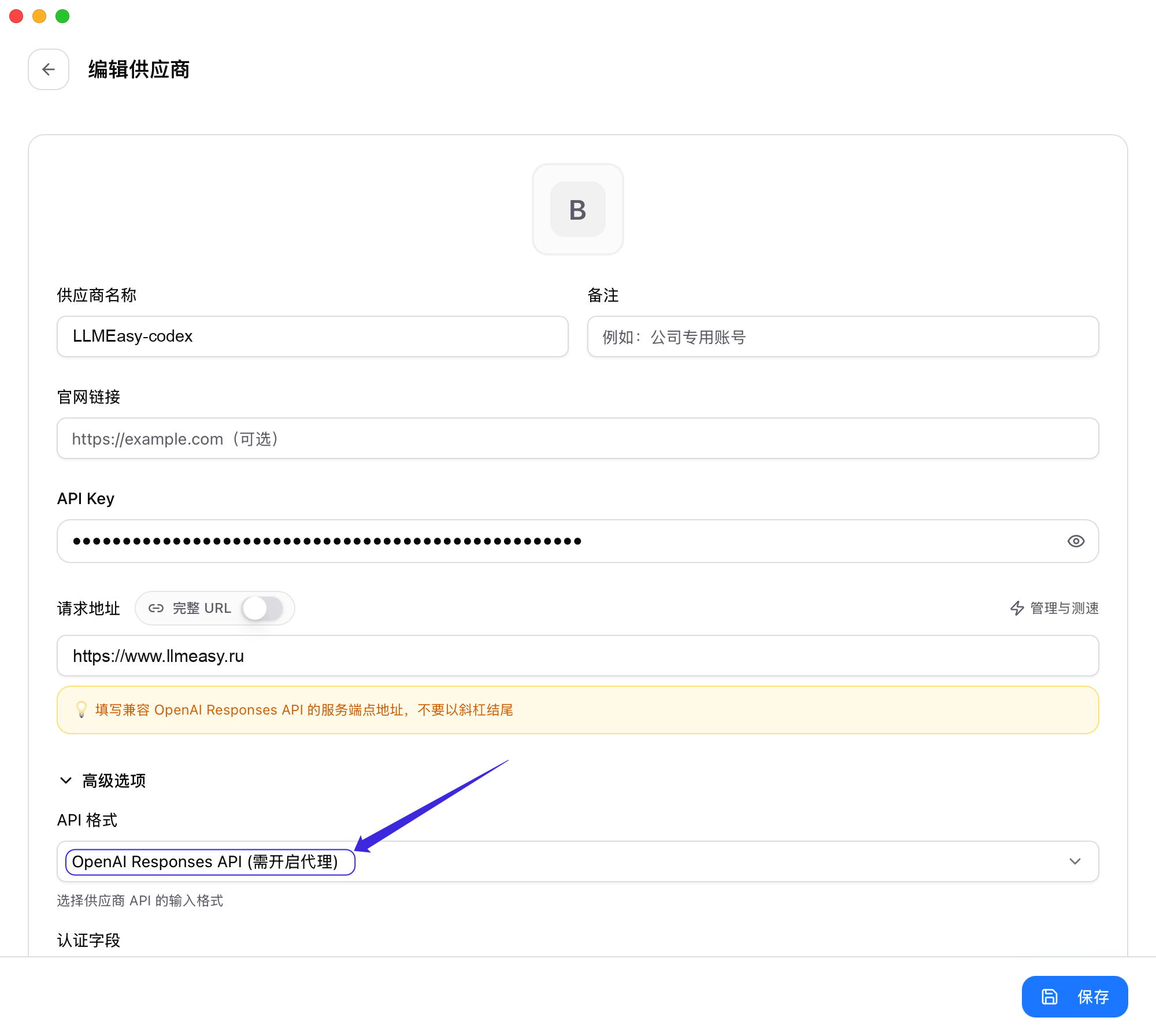
- If you use the GPT Key group, complete the extra setup below:
- Open Advanced Options
- Set API Format to OpenAI Responses API
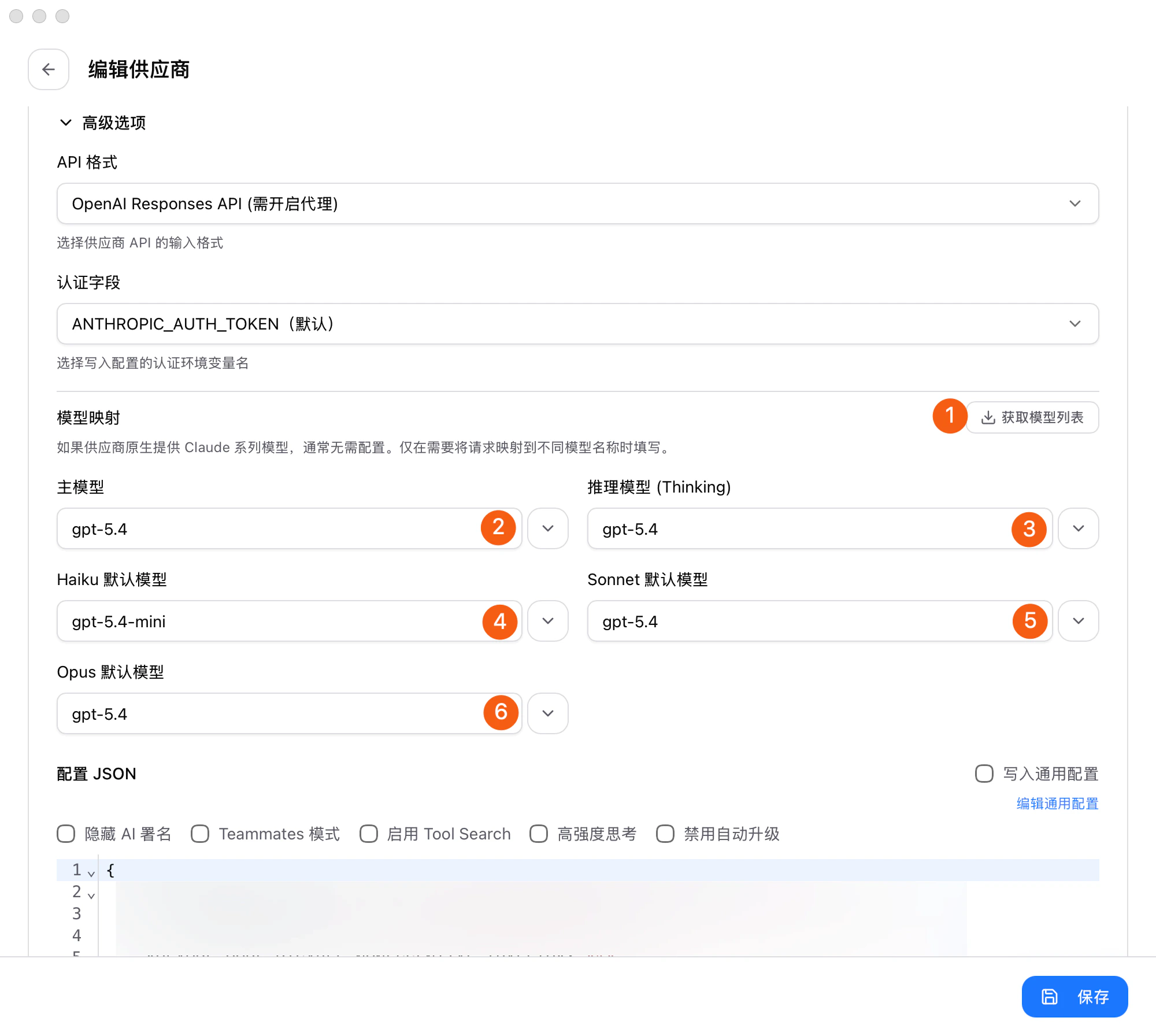
- In Model Mapping, click Fetch Model List
- Explicitly choose values from the dropdowns for Primary Model, Thinking Model, Haiku Default Model, Sonnet Default Model, and Opus Default Model
Save, switch, and decide whether to enable the proxy
After saving, go back to the provider list: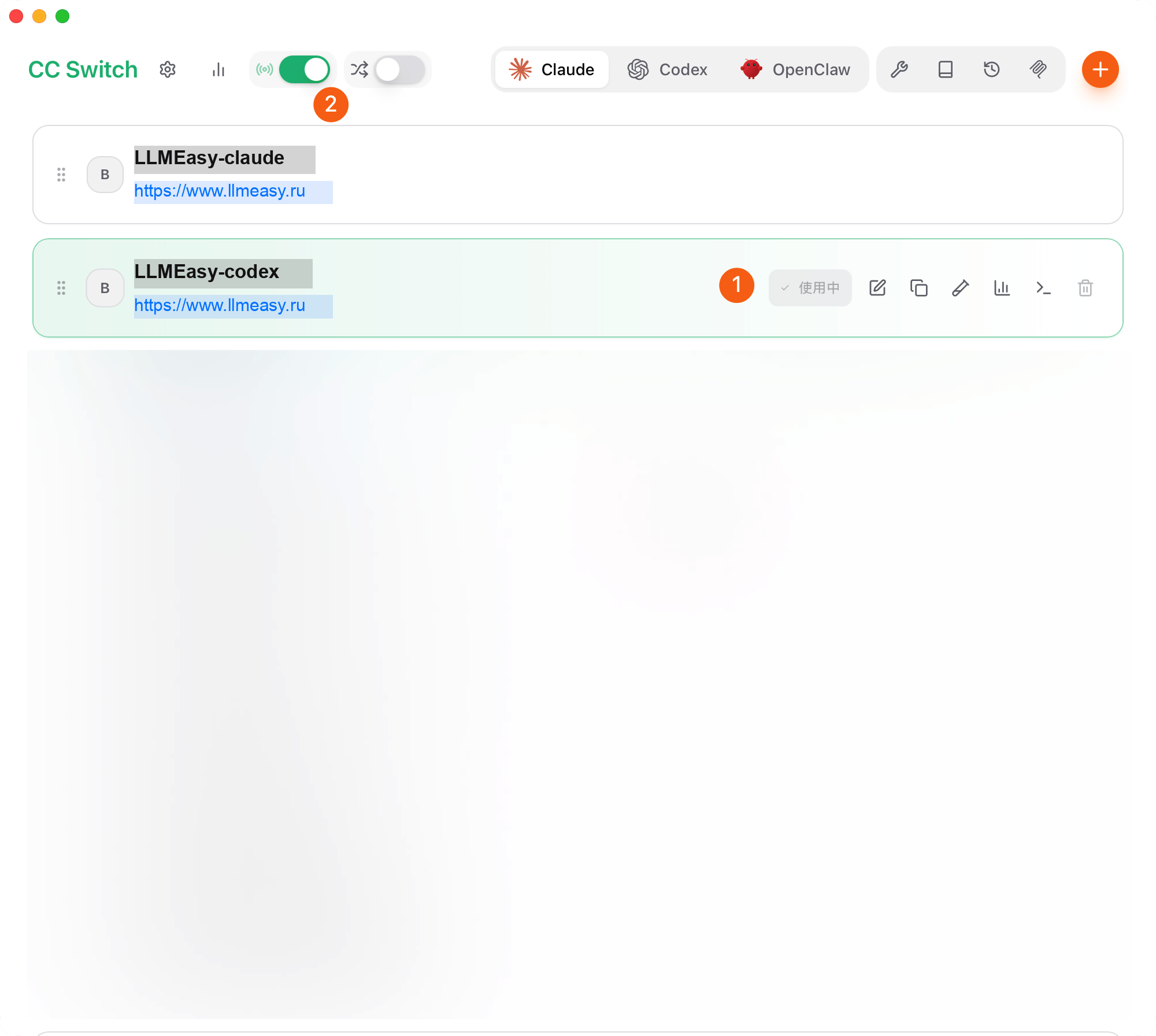
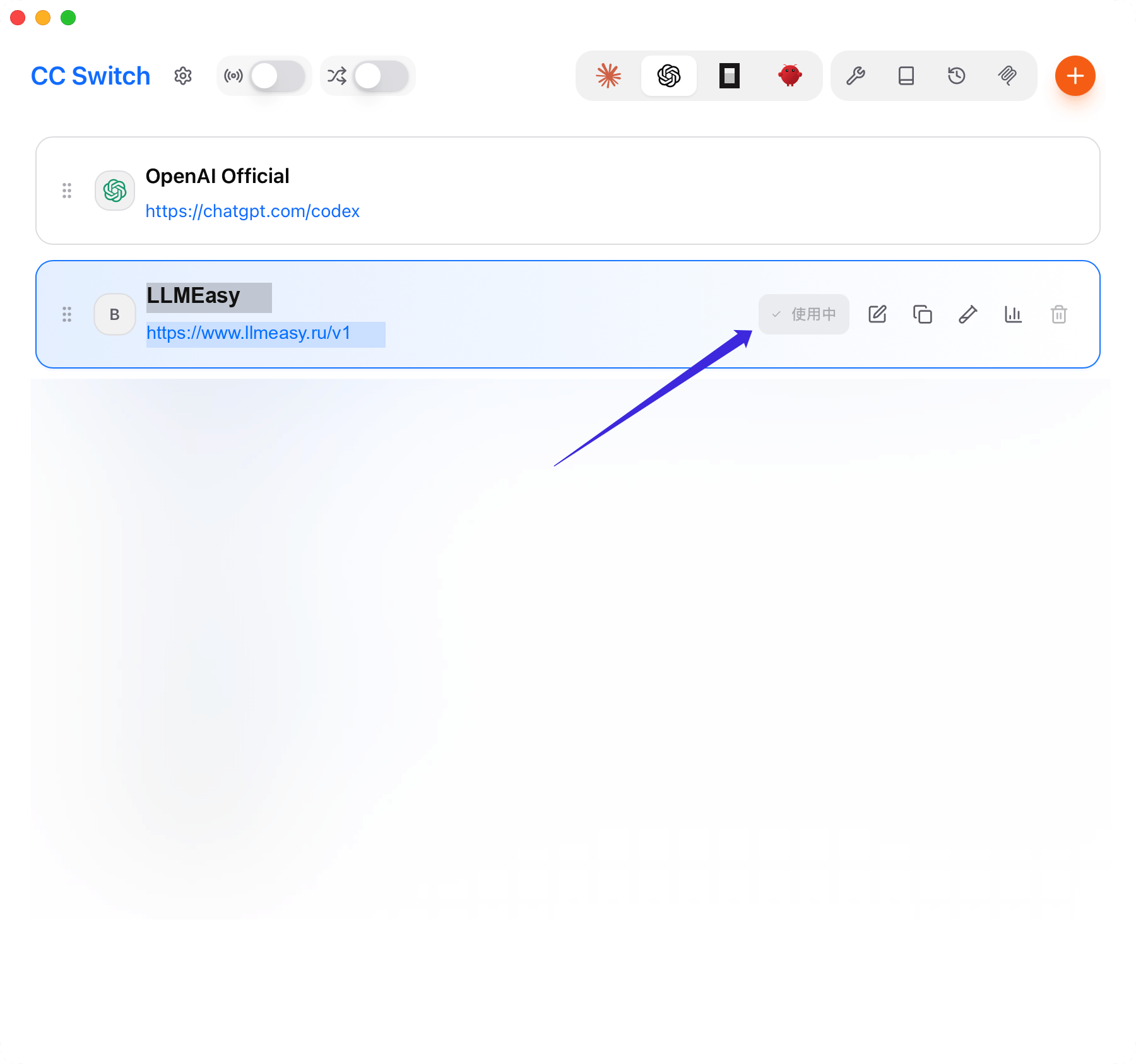
- Mark the LLMEasy provider as the active one
- If you use the Claude Key group, you do not need to enable the CC Switch proxy from the top-left corner
- If you use the GPT Key group, enable the CC Switch proxy
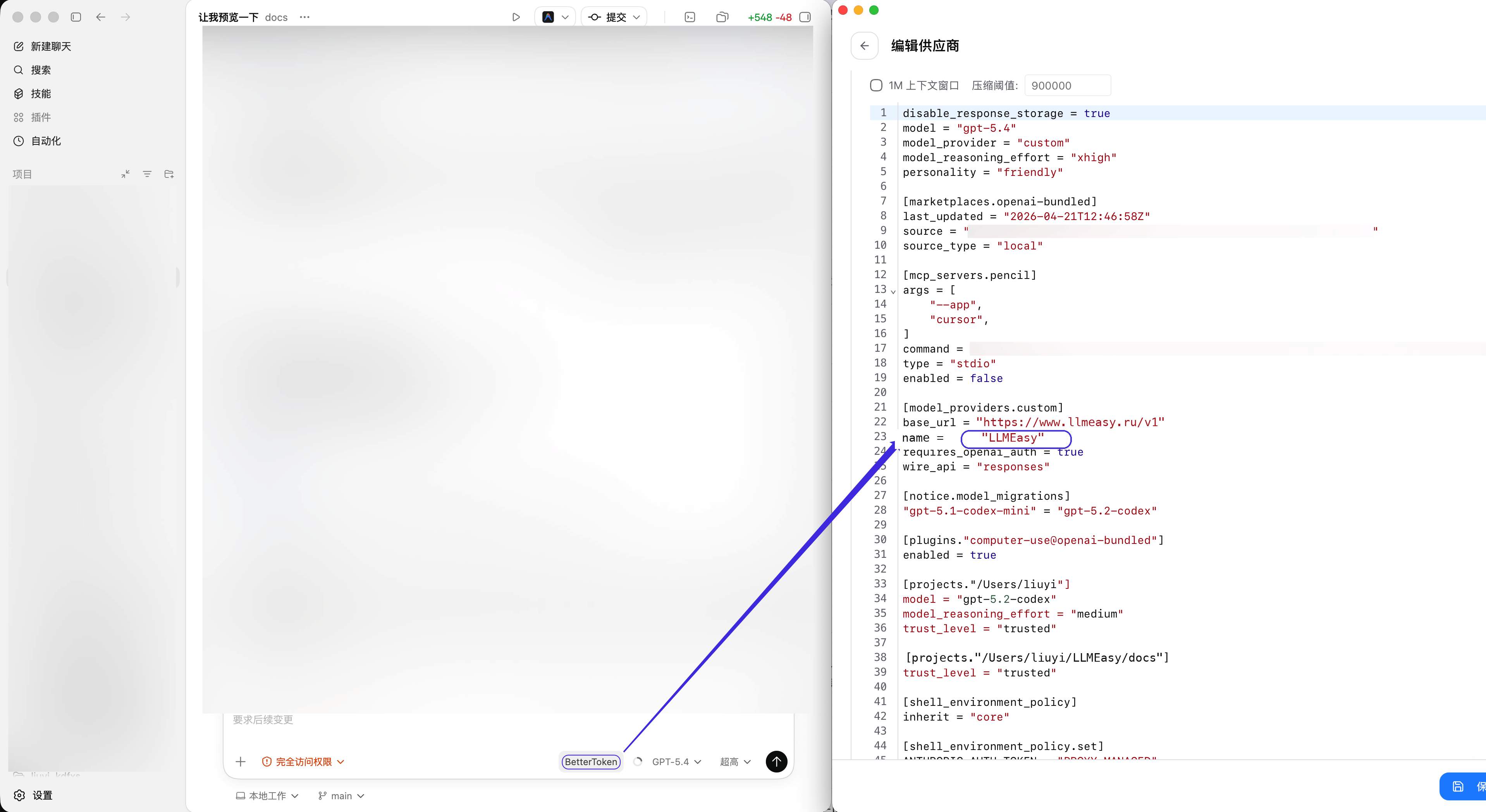
GPT case where the proxy needs to be enabled.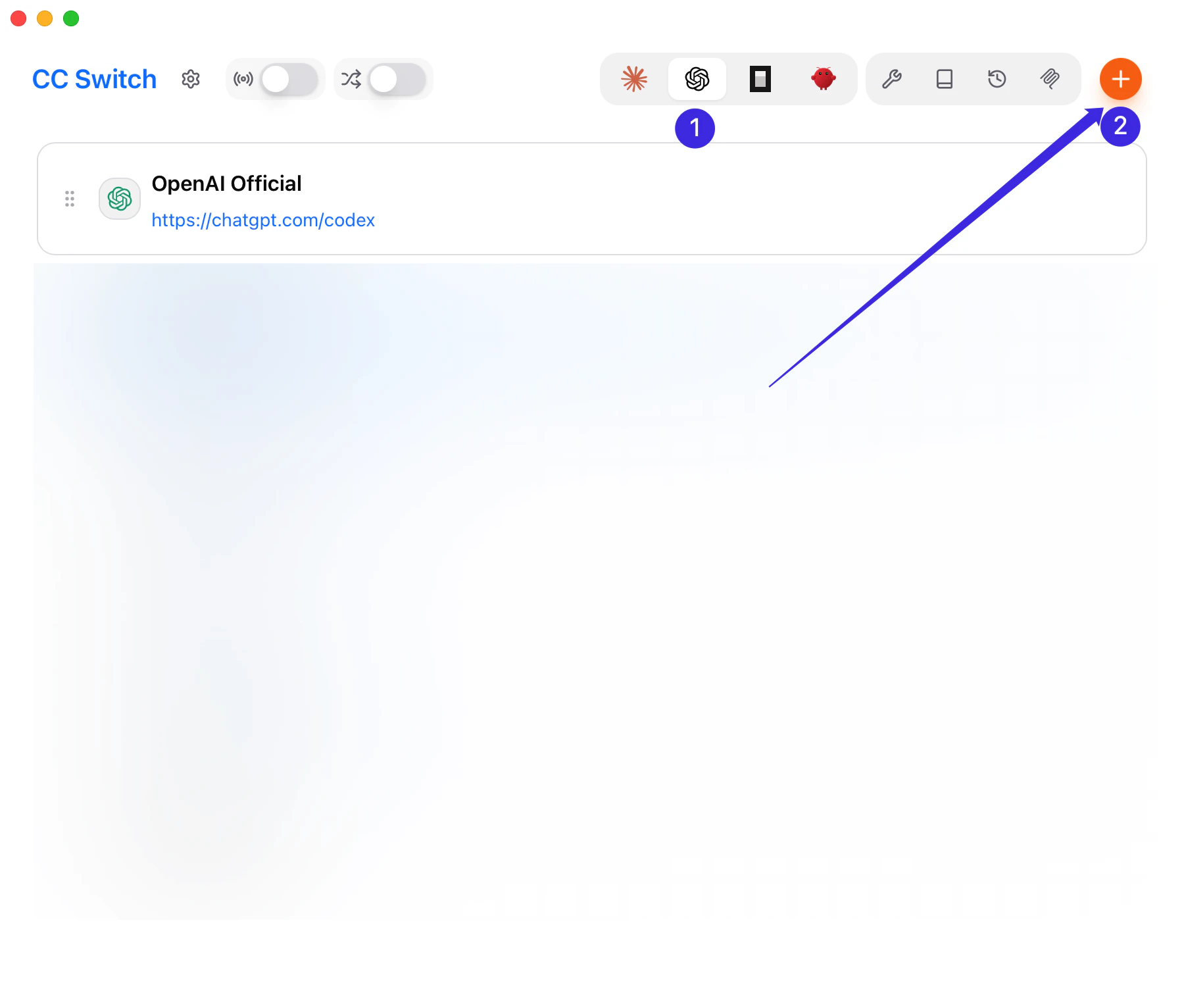
Make saved changes take effect
After saving and switching providers, restart the affected client or gateway before verifying the setup.- Claude Code: quit the current Claude Code session completely, then start it again.
- Codex: restart the current Codex process or open a new terminal session.
- OpenCode: quit the current OpenCode session and start it again.
- OpenClaw: run
openclaw gateway restart, then use/new,/status, and/modelin Discord.
Common issues
- Do not add
/v1to the Claude CodeBase URL - When Claude Code uses the GPT Key group, set API Format to OpenAI Responses API under Advanced Options
- When Claude Code uses the Claude Key group, you do not need to enable the CC Switch proxy
- Codex, OpenCode, and OpenClaw should use
https://www.llmeasy.ru/v1 - Use a GPT Key group model ID as the default model for Codex, OpenCode, and OpenClaw
- If Fetch Models fails, check the API key and
Base URL, then paste the model ID manually - If switching does not take effect, confirm that LLMEasy is the active provider in CC Switch and restart the affected client or gateway as described above
Related pages
- Claude Code details: Claude Code
- Codex details: Codex
- OpenCode details: OpenCode
- OpenClaw details: OpenClaw