

Требования
- API Key LLMEasy (зарегистрироваться)
Настройка
Откройте настройки
В режиме IDE нажмите иконку Settings в правом верхнем углу, чтобы открыть центр настроек.Также можно открыть режим SOLO и нажать иконку Settings в правом верхнем углу панели чата.
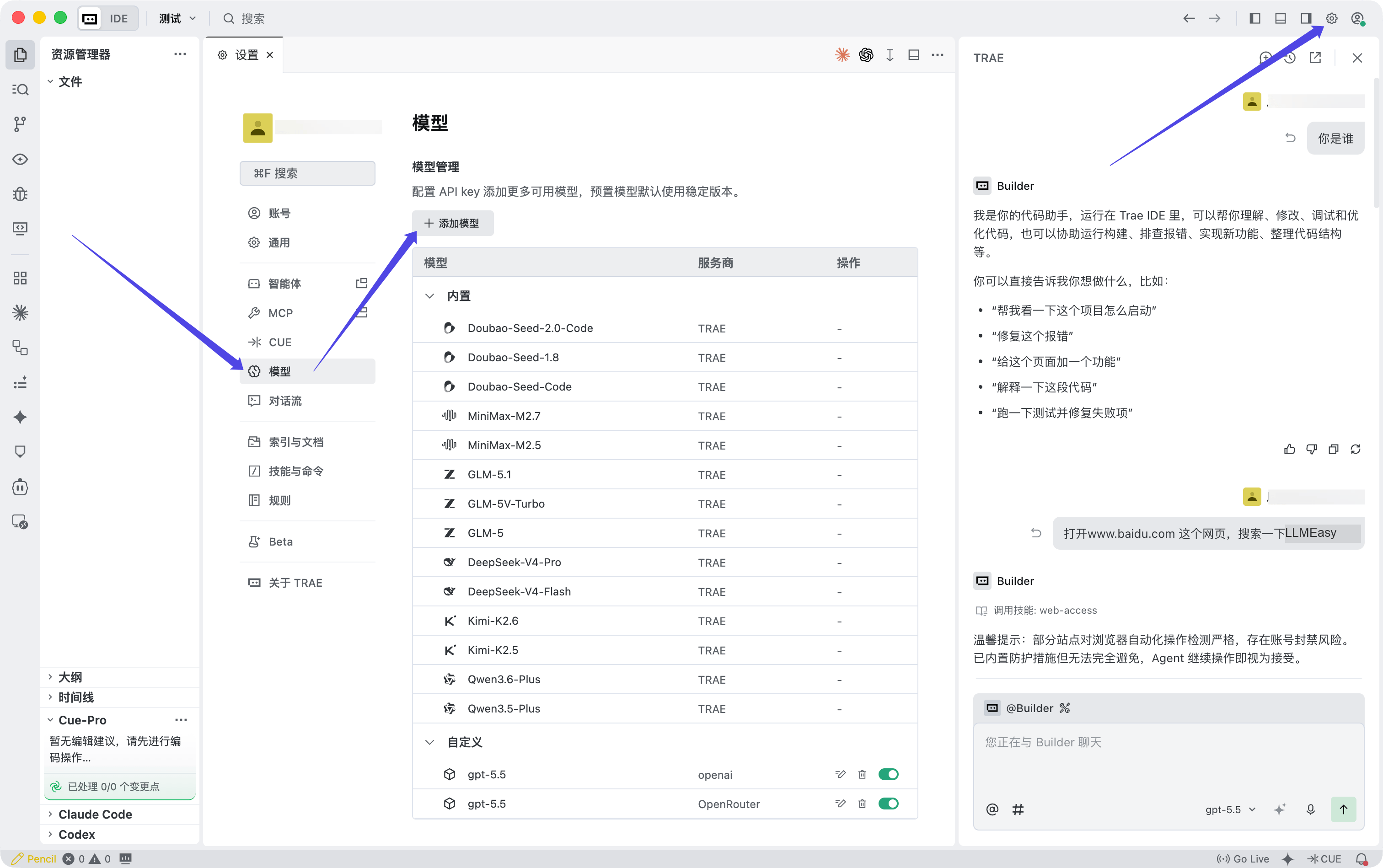
Заполните конфигурацию модели
Когда появится окно Add model, заполните поля так:
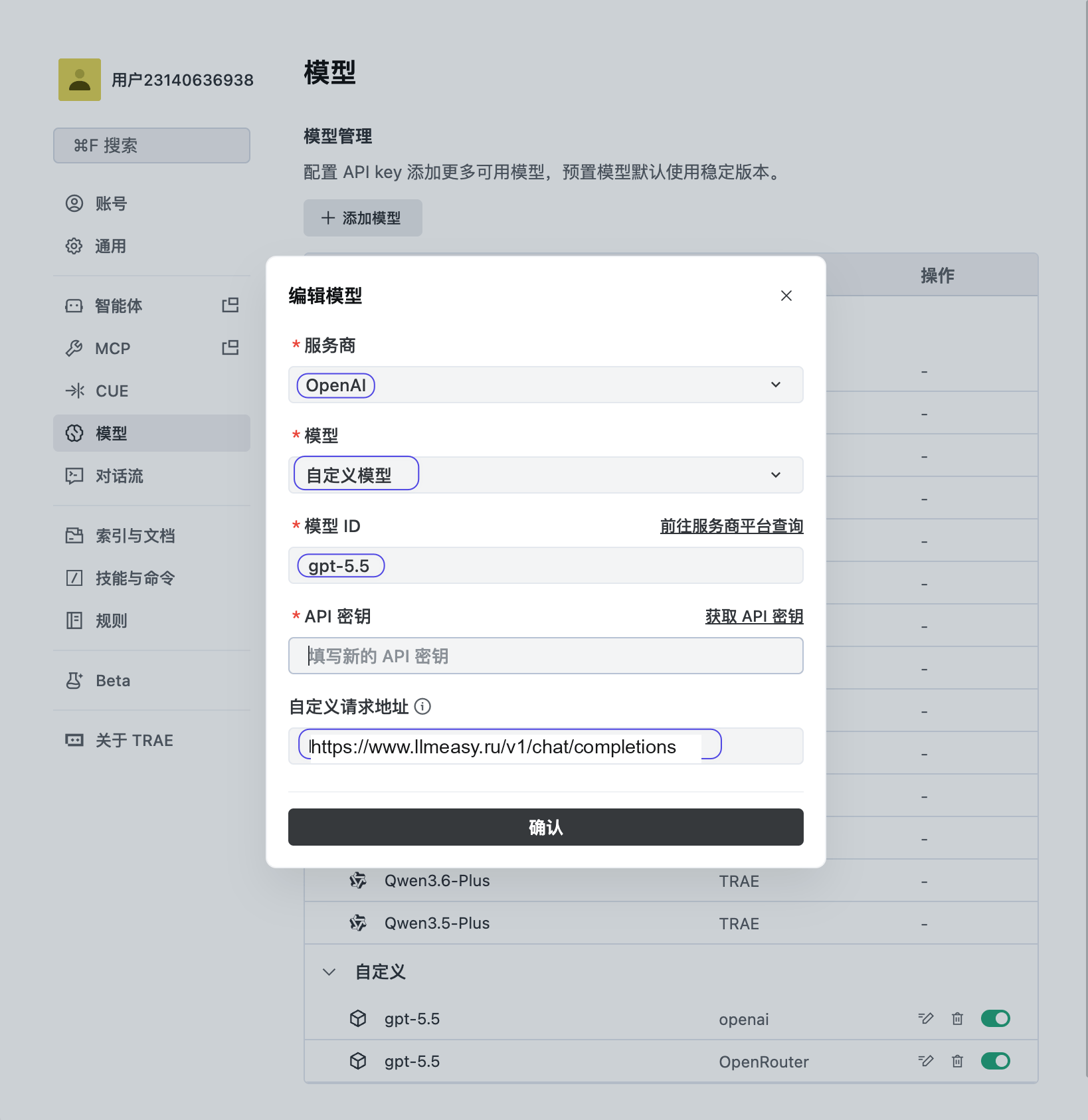
| Поле | Значение |
|---|---|
| Provider | OpenAI |
| Model | Custom model |
| Model ID | ID модели группы GPT из model plaza |
| API key | ваш API Key из консоли LLMEasy |
| Custom request URL | https://www.llmeasy.ru/v1/chat/completions |
LLMEasy поддерживает TRAE только через модели группы GPT. Не используйте фиксированные имена Claude-моделей и не задавайте custom request URL как
https://www.llmeasy.ru/v1.