

Установка CC Switch
- macOS
- Windows
- Linux
Самый простой вариант — Homebrew. Также можно скачать актуальный
.dmg или .zip из GitHub Releases.Что подготовить
- API Key LLMEasy (зарегистрироваться)
- Claude Code использует Anthropic-протокол, поэтому его
Base URL—https://www.llmeasy.ru - Codex, OpenCode и OpenClaw используют OpenAI-compatible protocol, поэтому их
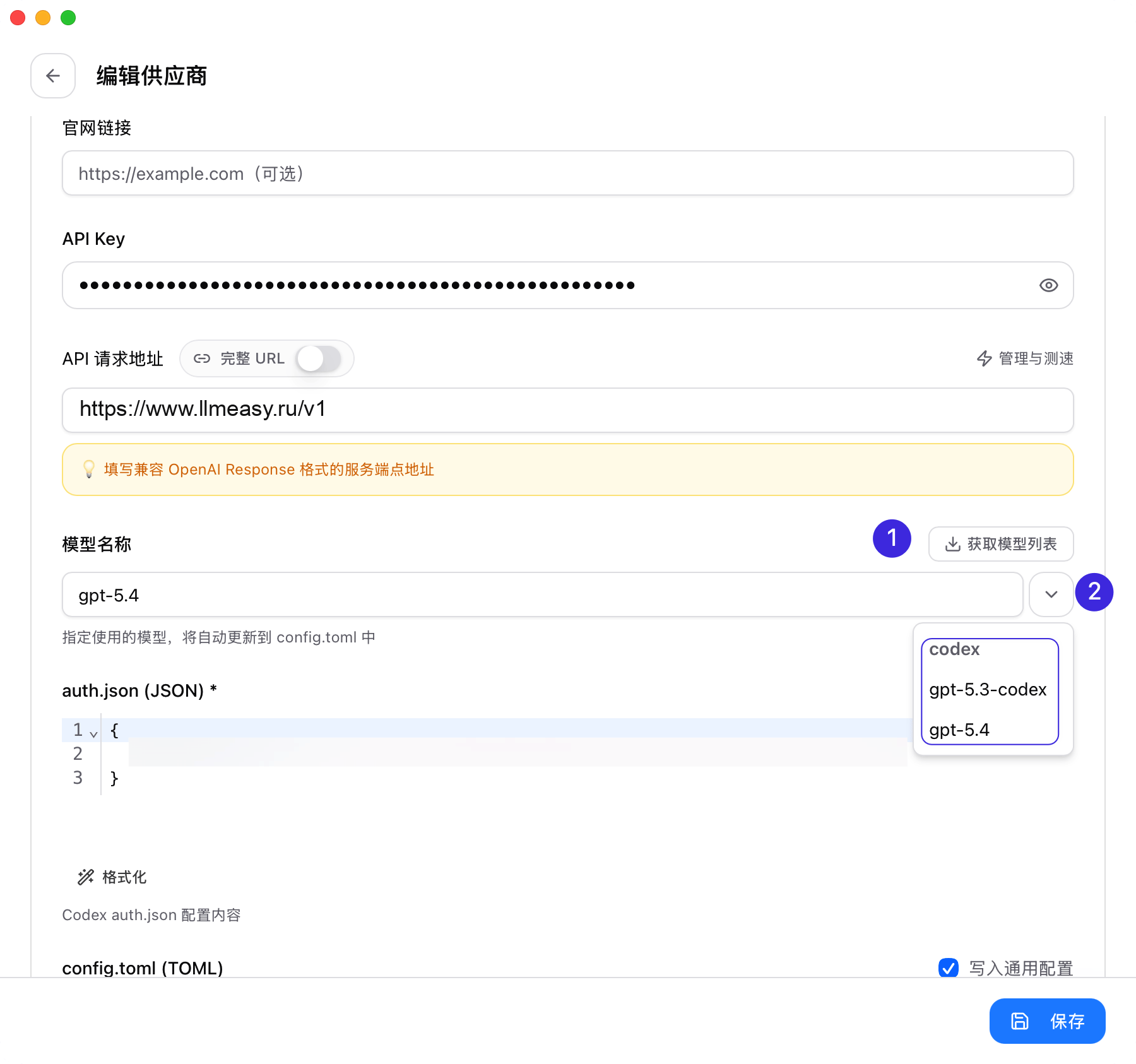
Base URL—https://www.llmeasy.ru/v1 - Подготовьте актуальный ID модели группы GPT для Codex, OpenCode и OpenClaw. Его можно скопировать из LLMEasy model plaza или дать CC Switch получить его из
/v1/models
При первом запуске CC Switch автоматически импортирует конфигурации, которые уже находит на вашей машине. Можно оставить официальный provider как fallback и добавить LLMEasy рядом с ним.
LLMEasy использует два режима доступа: Anthropic и OpenAI-compatible. Чтобы не смешивать
https://www.llmeasy.ru и https://www.llmeasy.ru/v1, лучше создавать providers отдельно для каждого приложения, а не пытаться использовать один универсальный provider для Claude Code и OpenAI-compatible инструментов.Добавьте provider LLMEasy
- Claude Code
- Codex
- OpenCode
- OpenClaw
Откройте Claude Code в CC Switch и добавьте provider
Откройте CC Switch, переключитесь на Claude Code и нажмите Add Provider.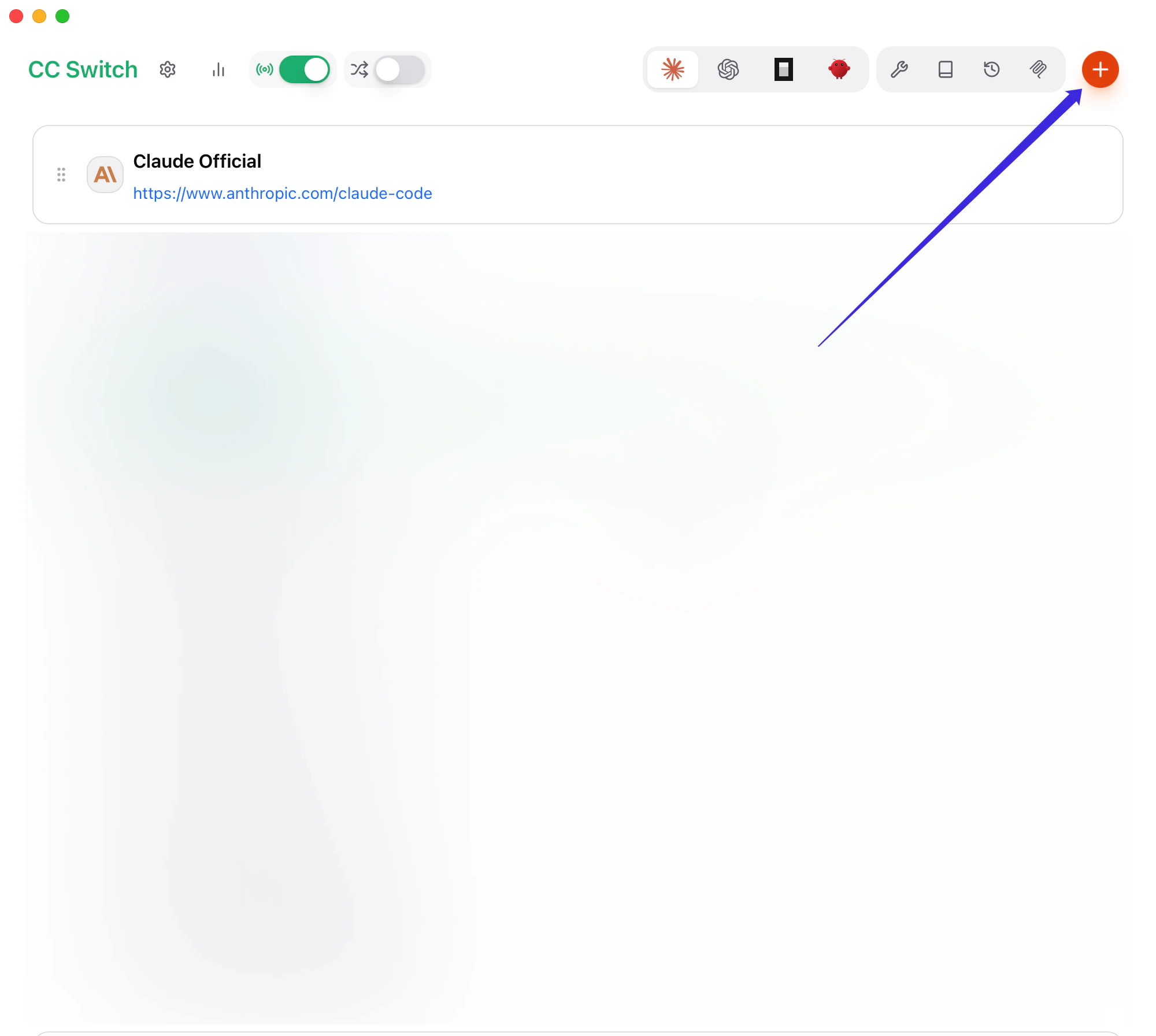
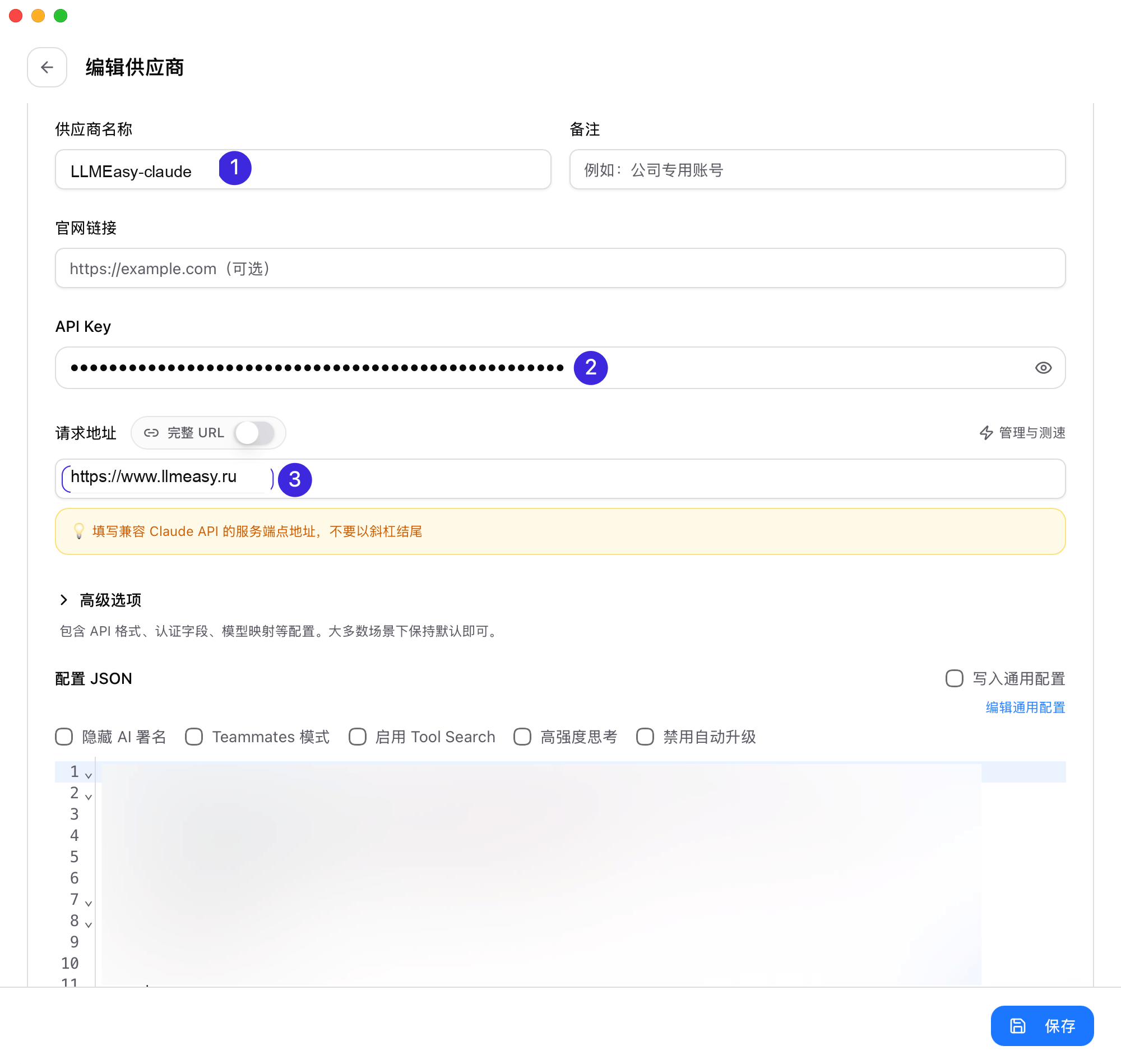
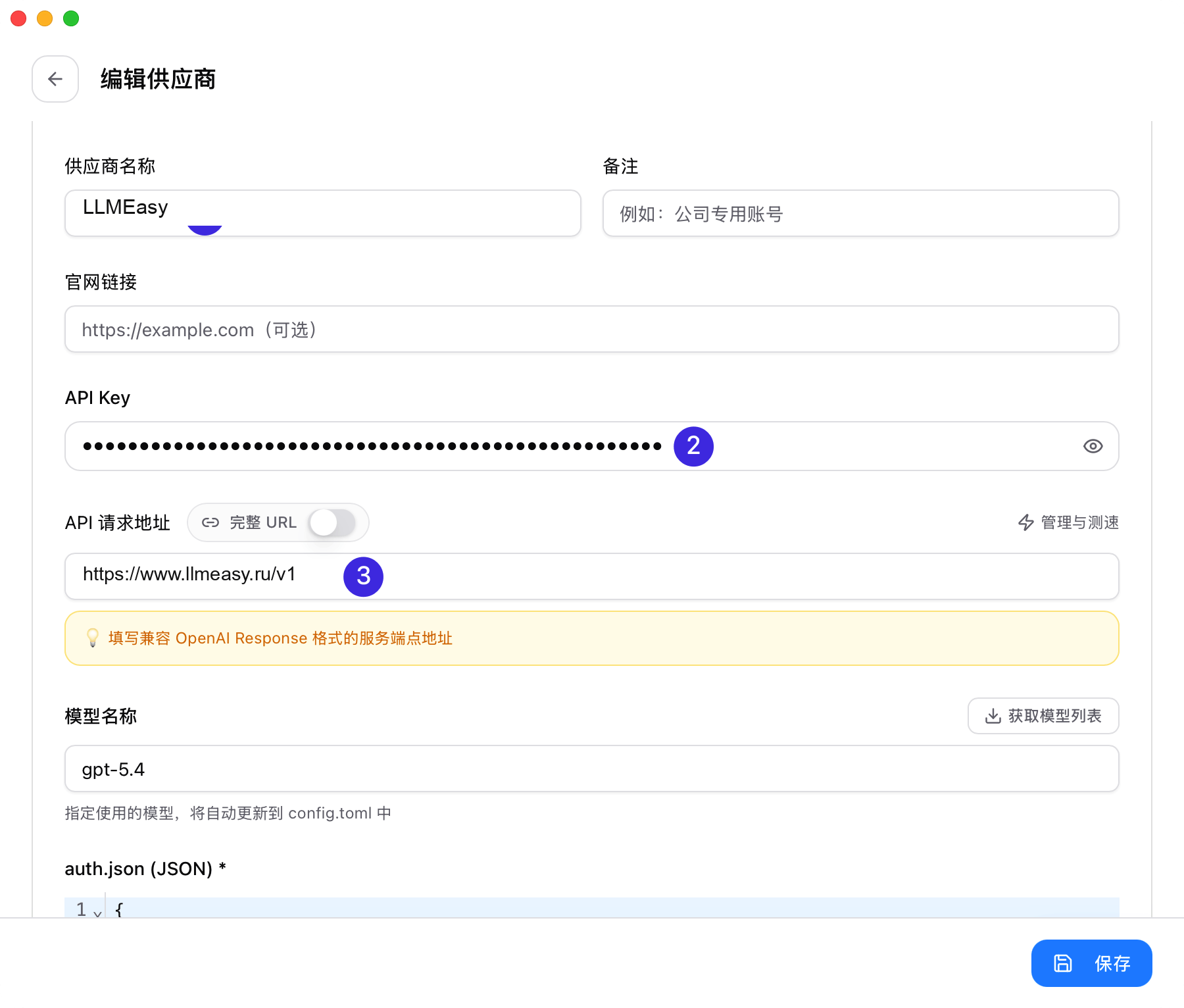
Заполните базовые поля
- Provider Name:
LLMEasy - Base URL:
https://www.llmeasy.ru - API Key: ваш API Key LLMEasy
- Provider Name
- API Key
- Base URL
Настройте model mapping по группе API Key
- Если вы используете группу ключа Claude, обычно не нужно менять advanced options или model mapping
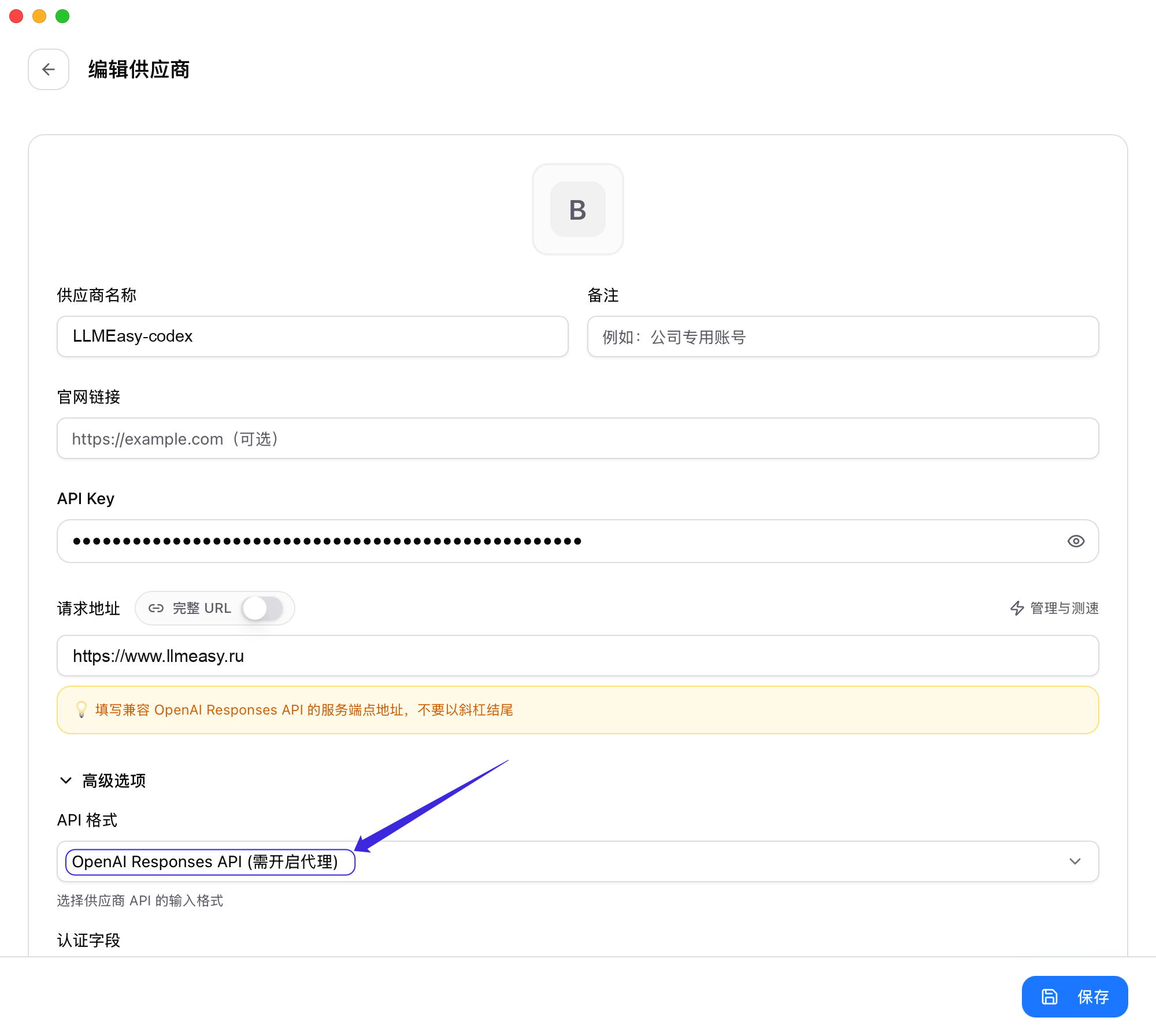
- Если вы используете группу ключа GPT, выполните дополнительную настройку ниже:
- Откройте Advanced Options
- Установите API Format в OpenAI Responses API
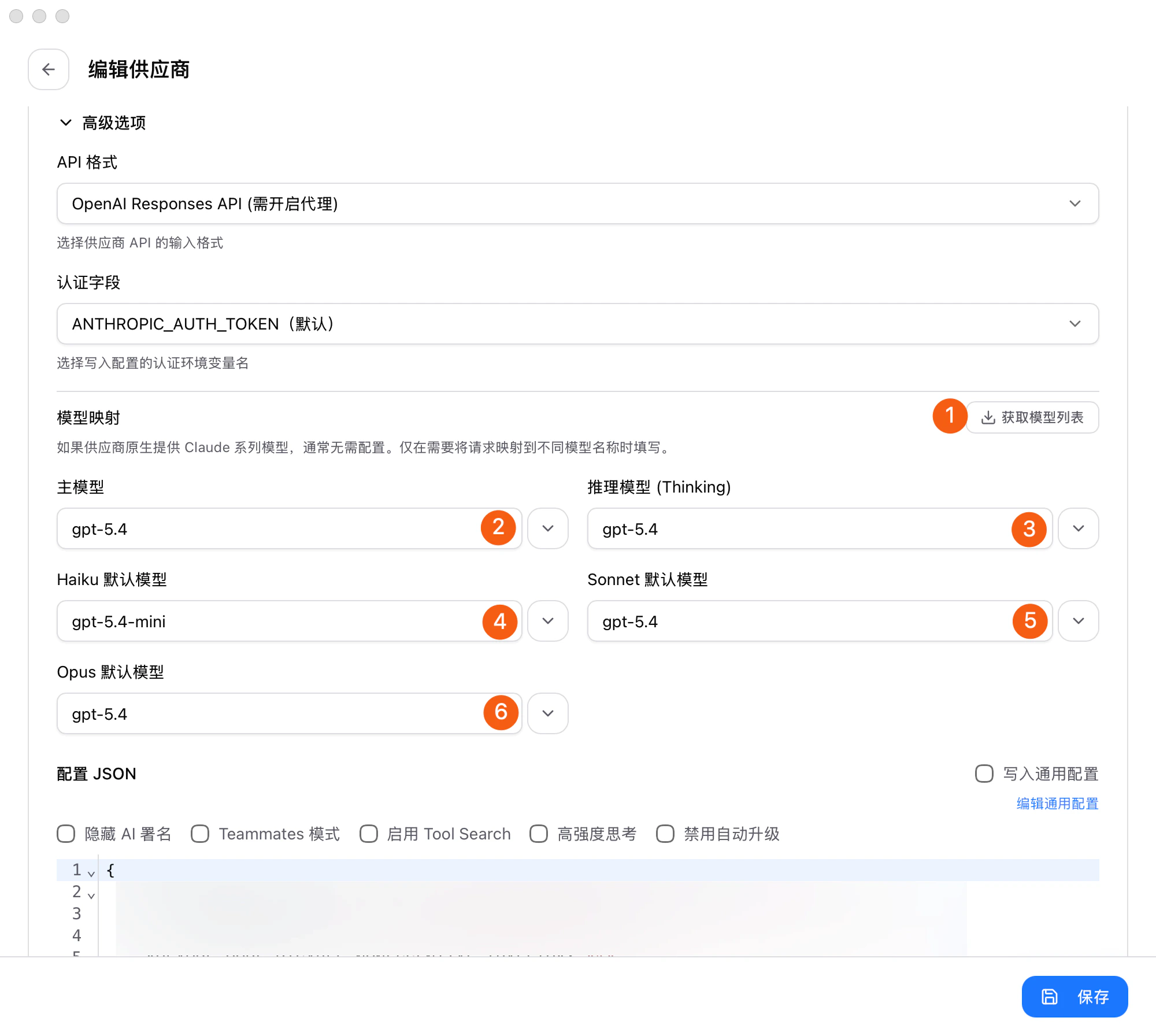
- В Model Mapping нажмите Fetch Model List
- Явно выберите значения в dropdown для Primary Model, Thinking Model, Haiku Default Model, Sonnet Default Model и Opus Default Model
Сохраните, переключитесь и решите, нужен ли proxy
После сохранения вернитесь к списку providers: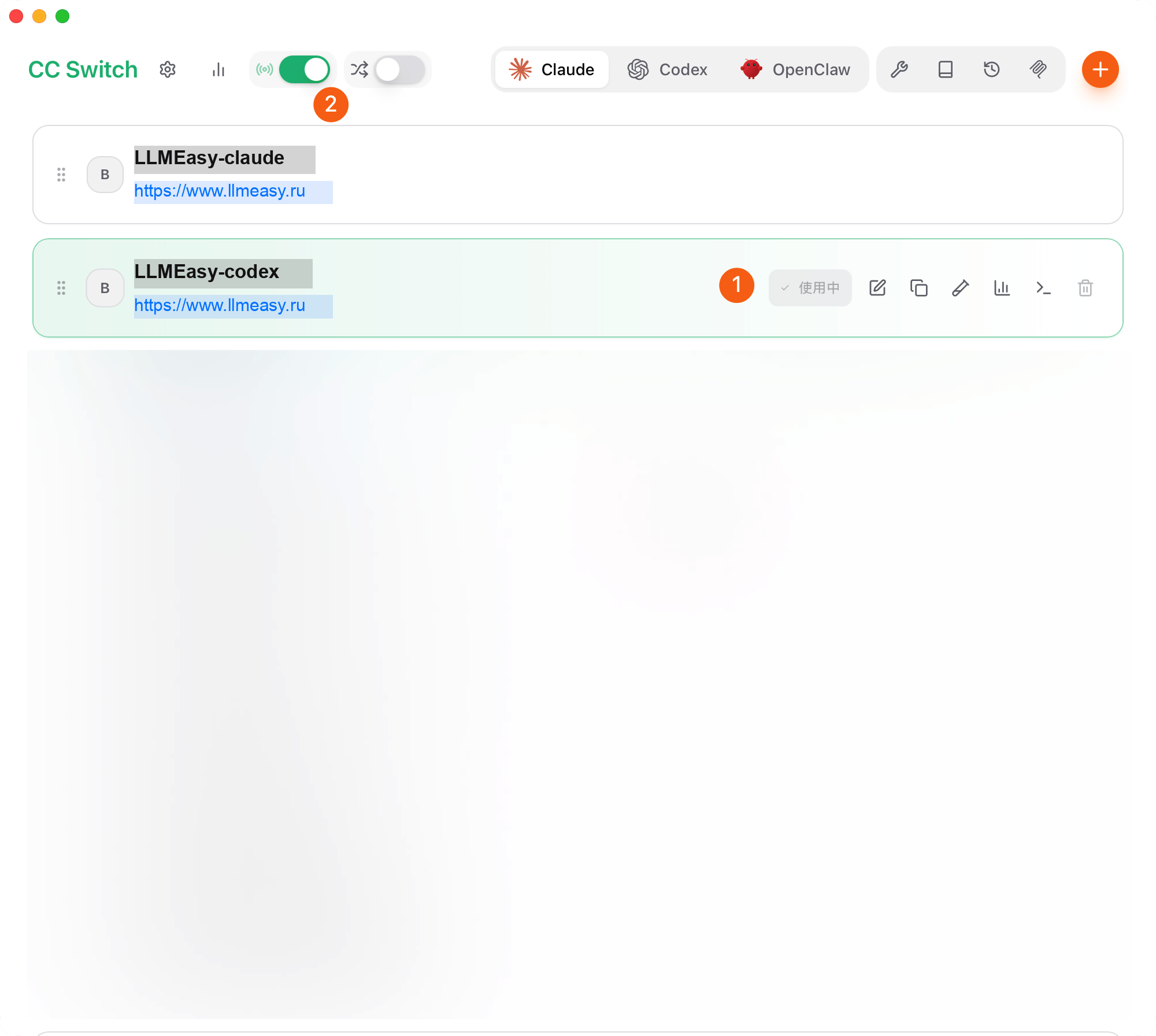
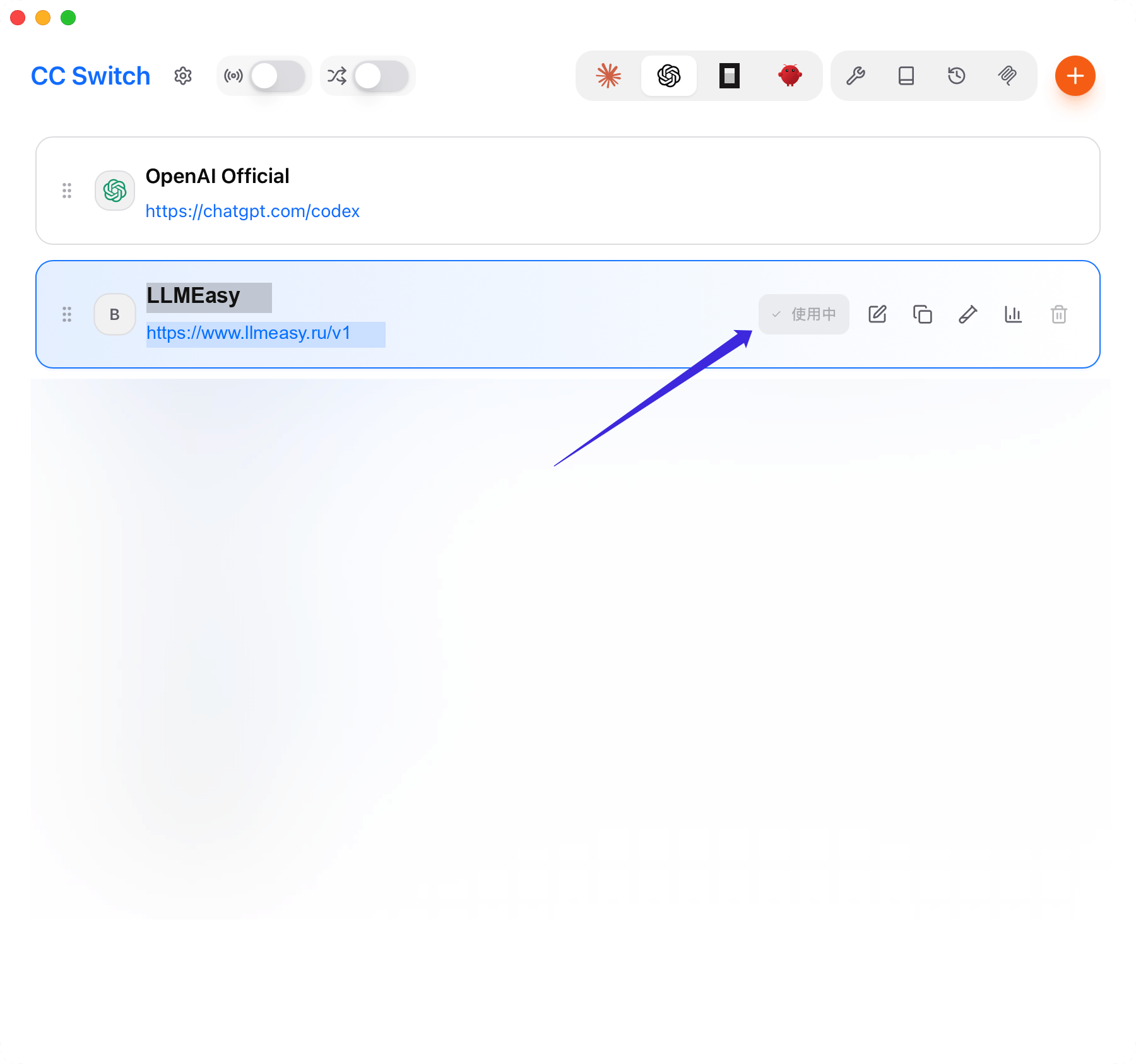
- Отметьте provider LLMEasy как активный
- Если вы используете группу ключа Claude, включать CC Switch proxy в левом верхнем углу не нужно
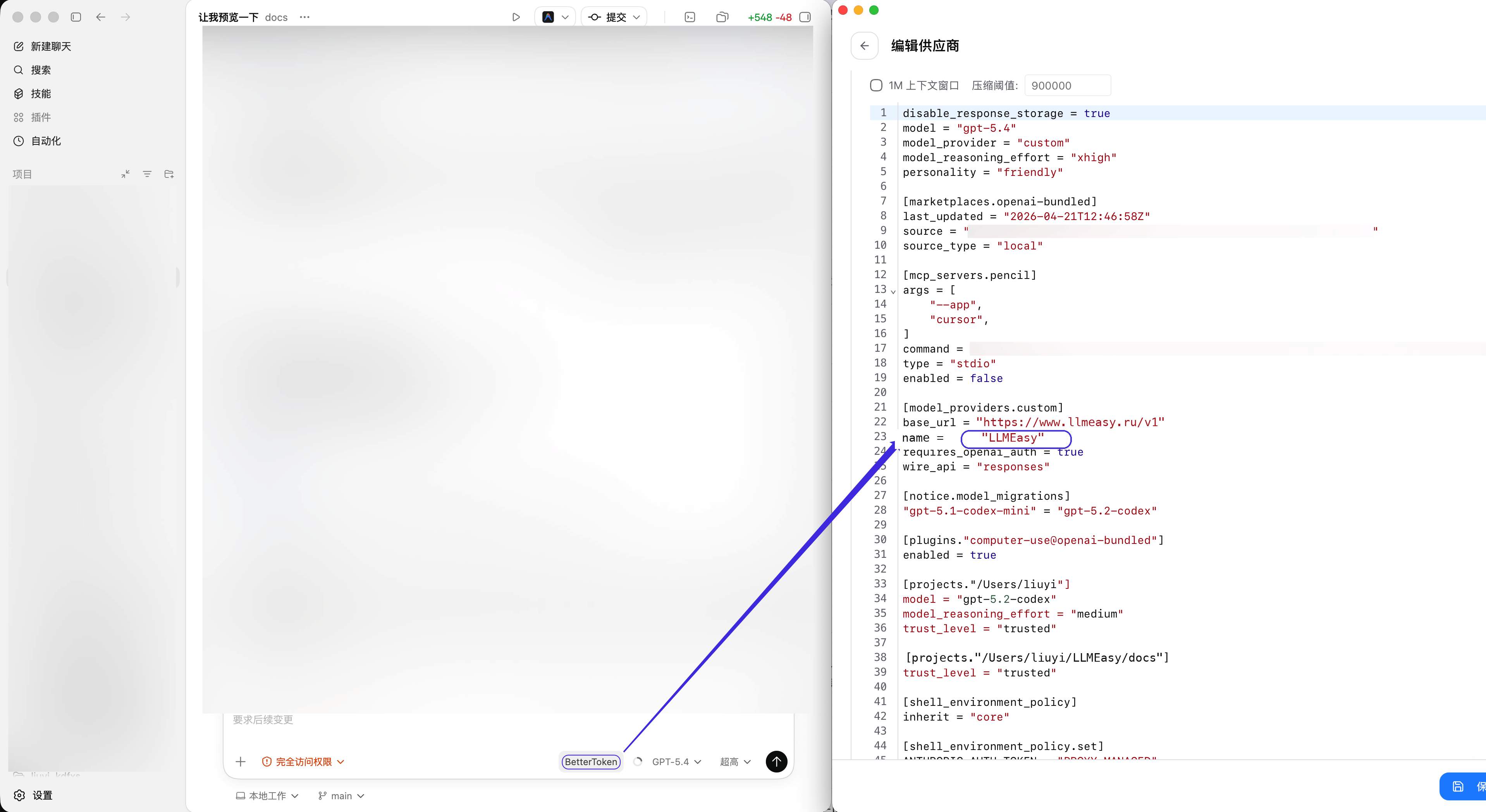
- Если вы используете группу ключа GPT, включите CC Switch proxy
GPT, когда proxy нужно включить.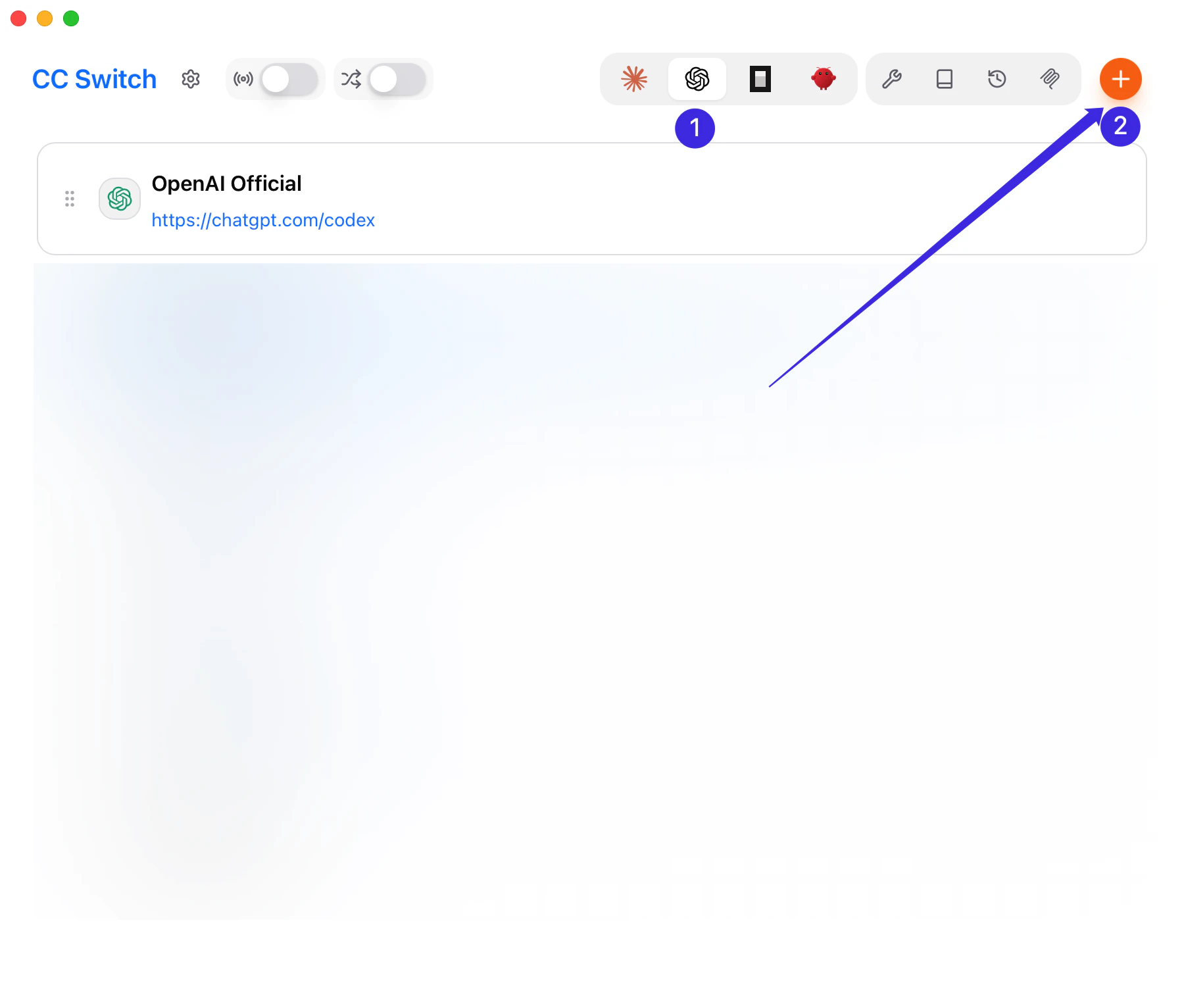
Как применить сохраненные изменения
После сохранения и переключения providers перезапустите затронутый client или gateway перед проверкой настройки.- Claude Code: полностью завершите текущую сессию Claude Code, затем запустите ее заново.
- Codex: перезапустите текущий процесс Codex или откройте новую terminal session.
- OpenCode: завершите текущую сессию OpenCode и запустите ее снова.
- OpenClaw: выполните
openclaw gateway restart, затем используйте/new,/statusи/modelв Discord.
Частые проблемы
- Не добавляйте
/v1к Claude CodeBase URL - Когда Claude Code использует группу ключа GPT, установите API Format в OpenAI Responses API в Advanced Options
- Когда Claude Code использует группу ключа Claude, включать CC Switch proxy не нужно
- Codex, OpenCode и OpenClaw должны использовать
https://www.llmeasy.ru/v1 - Используйте ID модели группы GPT как default model для Codex, OpenCode и OpenClaw
- Если Fetch Models не работает, проверьте API key и
Base URL, затем вставьте model ID вручную - Если переключение не вступило в силу, убедитесь, что LLMEasy активный provider в CC Switch, и перезапустите затронутый client или gateway, как описано выше
Смежные страницы
- Подробно про Claude Code: Claude Code
- Подробно про Codex: Codex
- Подробно про OpenCode: OpenCode
- Подробно про OpenClaw: OpenClaw