

本文配置的是 VS Code 中 GitHub Copilot Chat 的自定义语言模型。它不会替换 GitHub Copilot 的行内代码补全服务。
前置条件
- 已安装最新版 VS Code
- 已安装并登录 GitHub Copilot / Copilot Chat
- 已获取 LLMEasy API Key(注册并获取)
- API Key 属于 GPT 分组
- 已确认要使用的模型 ID,例如
gpt-5.5
配置步骤
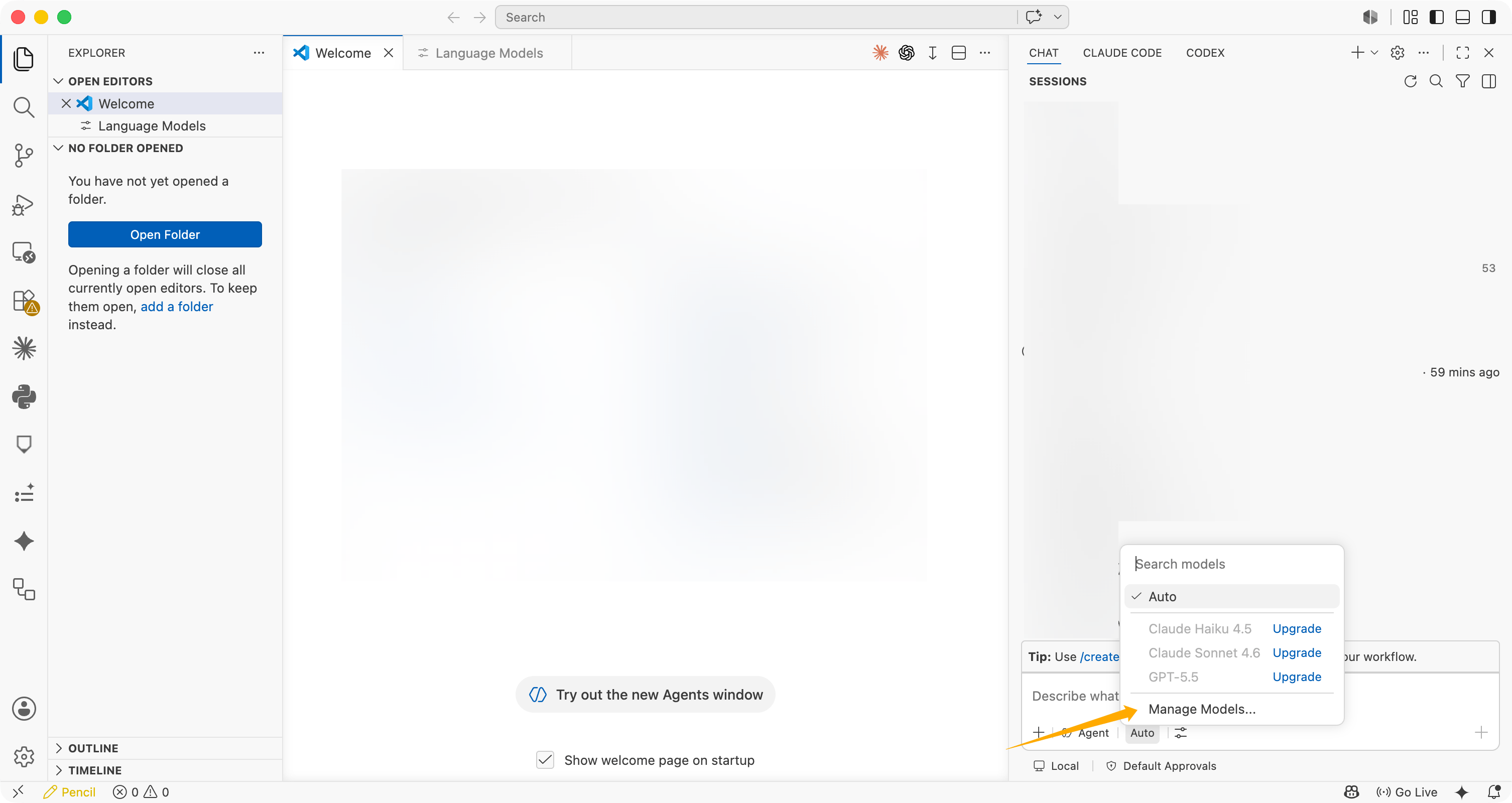
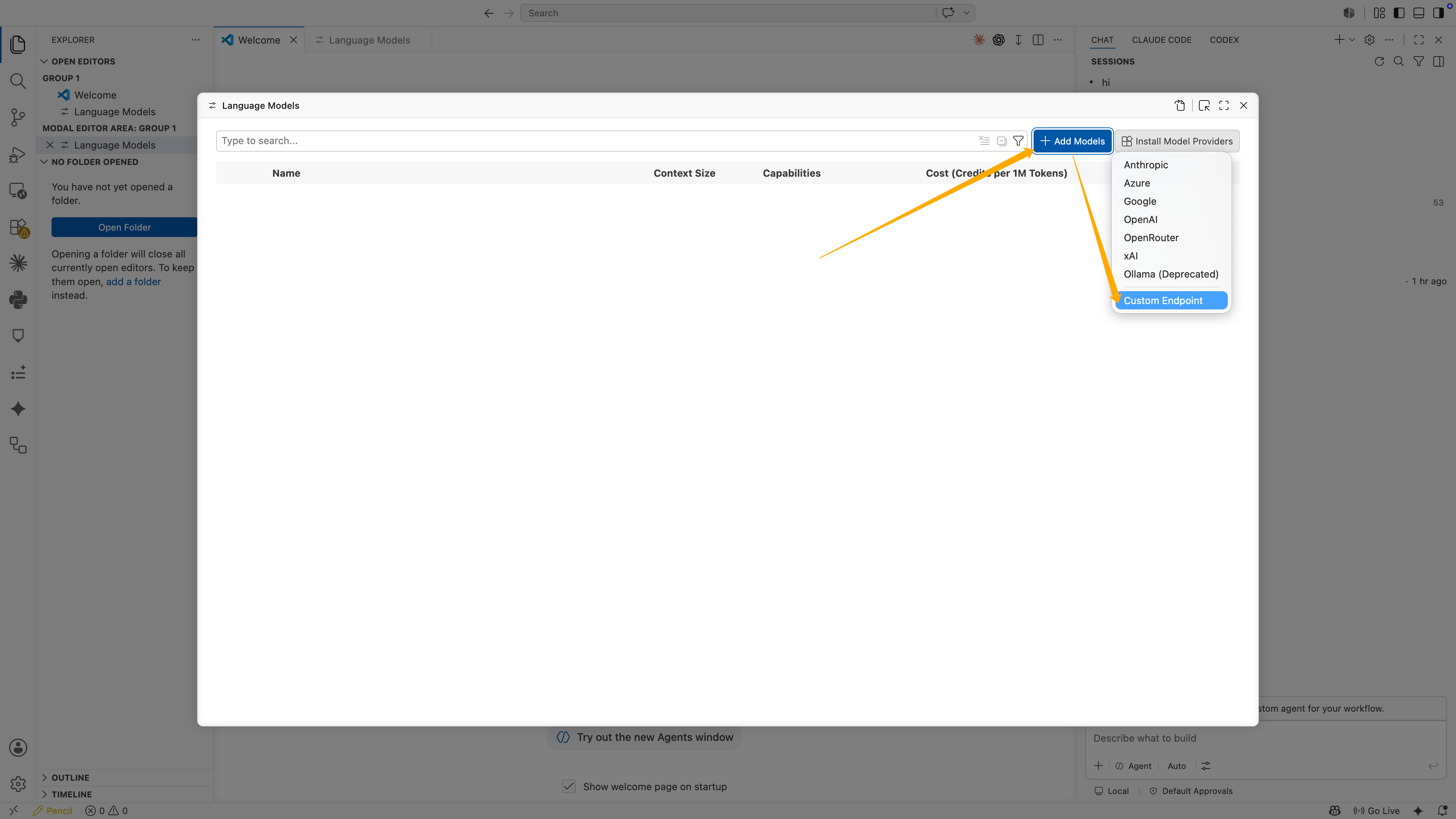
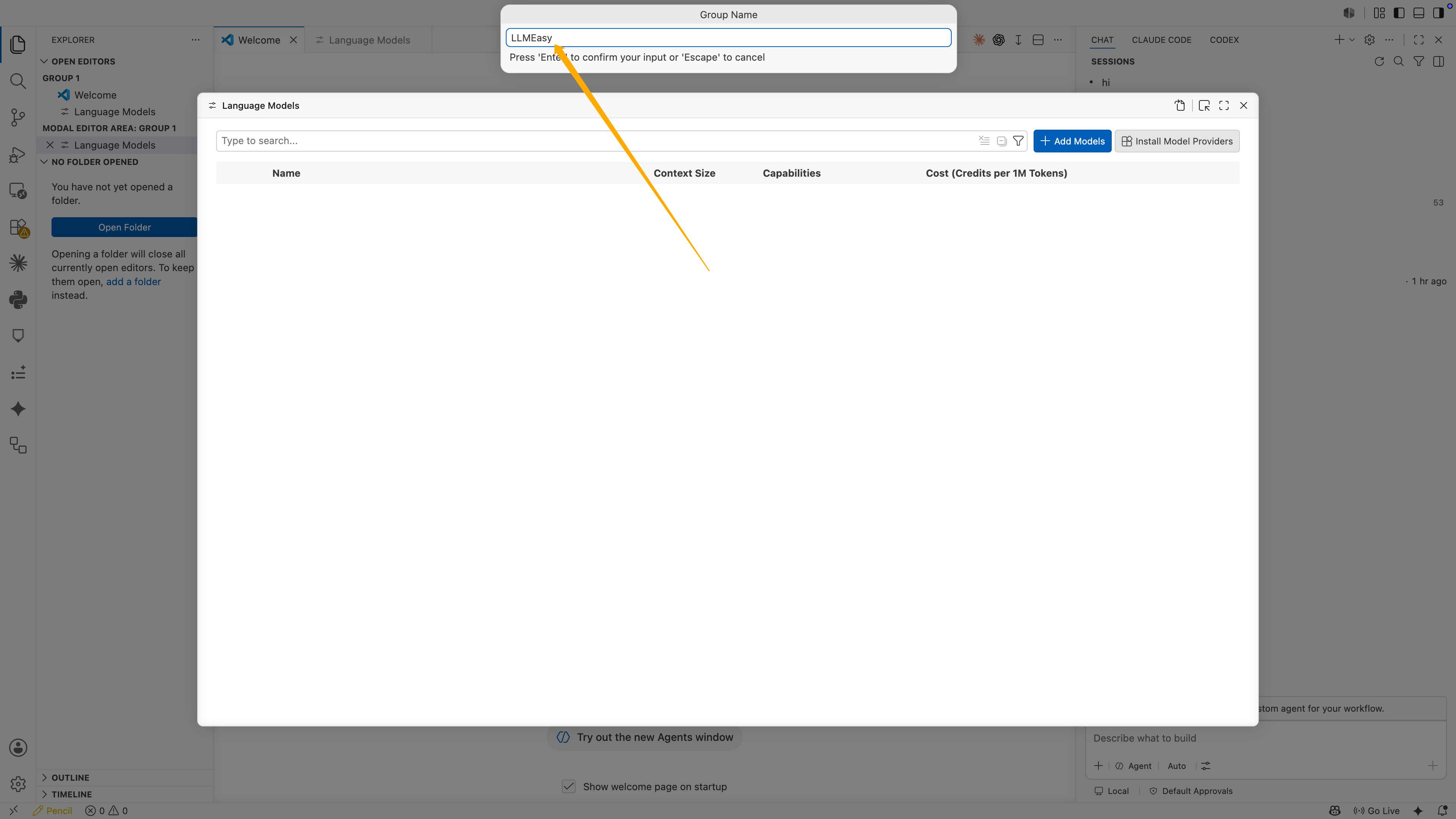
输入 API Key
接下来 VS Code 会要求输入 API Key。粘贴你的 LLMEasy API Key,然后按 Enter。这一步不会显示在配置文件里。VS Code 会把 API Key 保存成本机 secret,并在 JSON 中生成类似下面的引用:
编辑 JSON 配置
VS Code 会打开 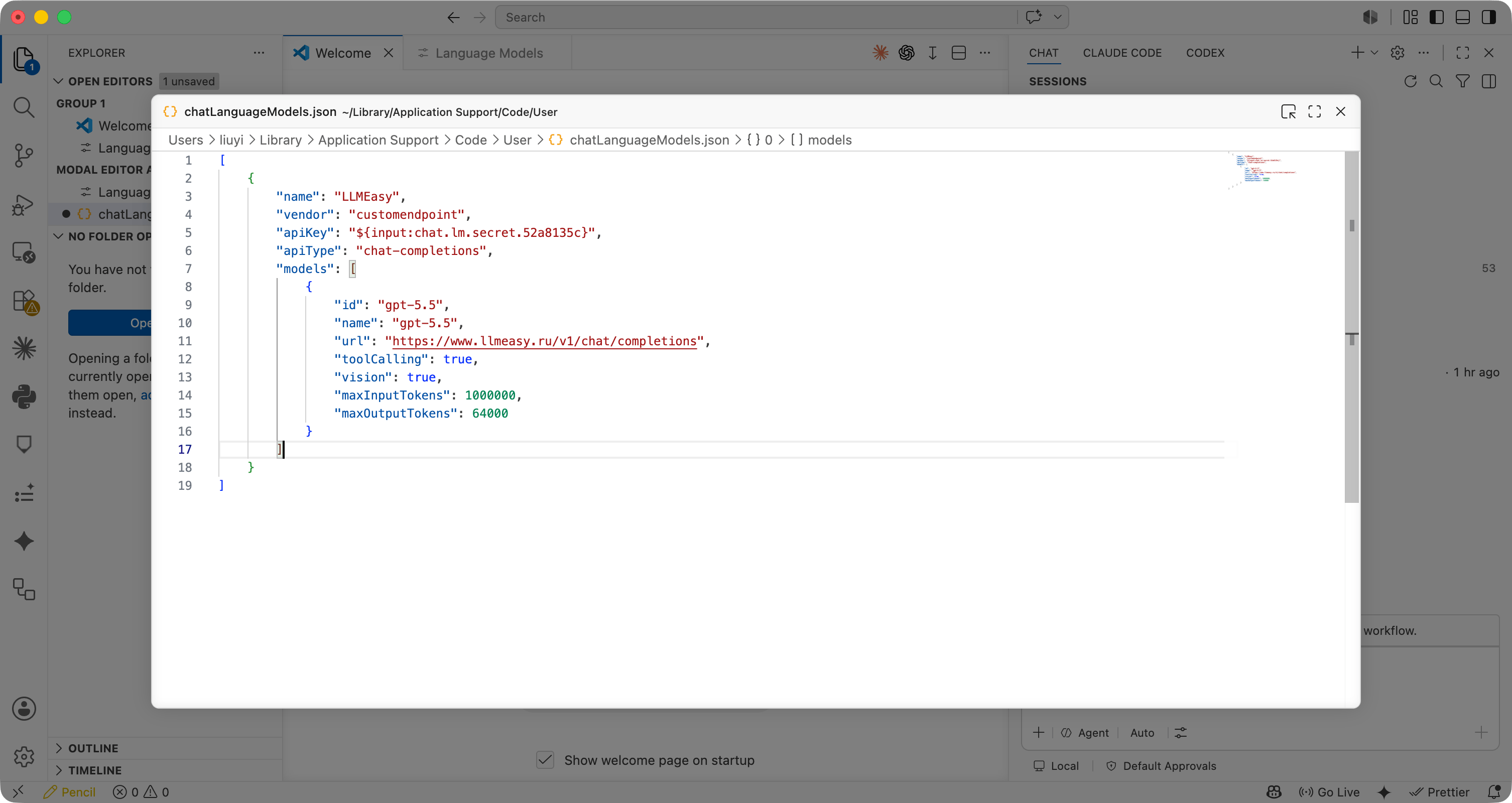
chatLanguageModels.json。确认或修改配置为下面结构:| 字段 | 推荐值 |
|---|---|
name | LLMEasy |
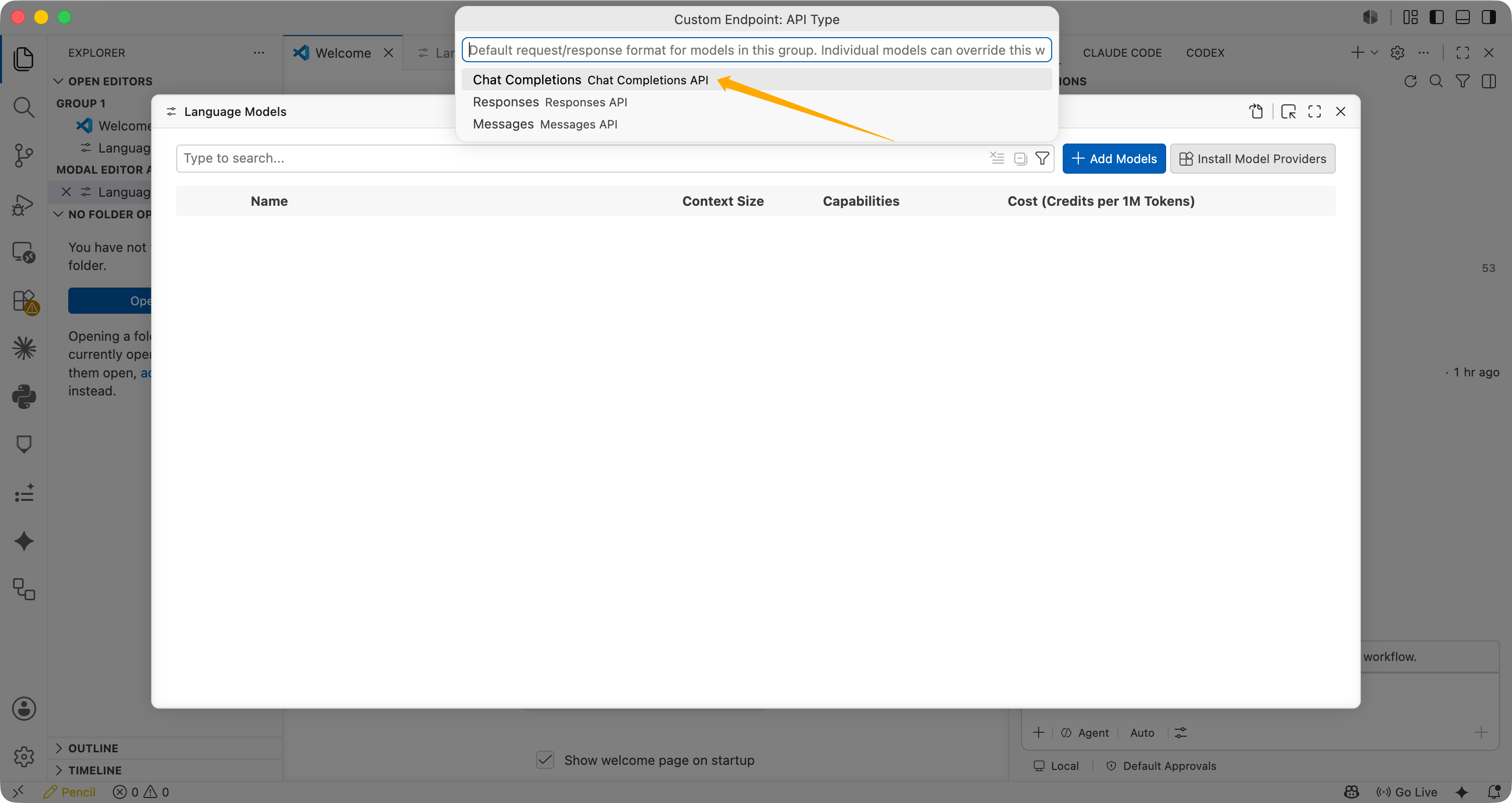
apiType | chat-completions |
id | gpt-5.5 或模型广场中的 GPT 分组模型 ID |
name | 与模型 ID 保持一致 |
url | https://www.llmeasy.ru/v1/chat/completions |
toolCalling | true |
vision | true |
maxInputTokens | 1000000 |
maxOutputTokens | 64000 |
常见问题
为什么必须在弹窗里输入 API Key?
VS Code 会把 API Key 保存到本机 secret 存储中,并在 JSON 里使用${input:chat.lm.secret...} 引用它。这样比把真实 API Key 写进 JSON 更安全。
为什么选择 Chat Completions?
本次验证成功的配置使用的是 Chat Completions。对应 URL 是:/v1/responses,也不要只写到 /v1。
这个配置会影响 GitHub Copilot 自动补全吗?
不会。这个 Custom Endpoint 主要用于 Copilot Chat 的语言模型调用。GitHub Copilot 的行内自动补全仍由 GitHub Copilot 自身服务提供。报 Invalid token 怎么办?
如果出现Invalid token,按顺序检查:
- API Key 是否是在 VS Code 弹窗中输入的
- JSON 里是否保留
${input:chat.lm.secret...} - API Key 是否属于 GPT 分组
url是否为https://www.llmeasy.ru/v1/chat/completionsapiType是否为chat-completions- 模型 ID 是否为模型广场中的 GPT 分组模型