

Yingdao AI Power is a no-code product for building AI applications. It aggregates existing AI models and provides a simple toolset for creating AI apps. When connecting LLMEasy to Yingdao AI Power, add anDocumentation Index
Fetch the complete documentation index at: https://docs.llmeasy.ru/llms.txt
Use this file to discover all available pages before exploring further.
OpenAI-API-compatible model and use a model ID from the Codex group.
Prerequisites
- LLMEasy API Key (register here (
https://www.llmeasy.ru/register)) - A Codex group model ID copied from the model plaza (
https://www.llmeasy.ru/pricing)
Setup
Open model management
Go to Enterprise management, then open Model management. Find OpenAI-API-compatible and click Add model.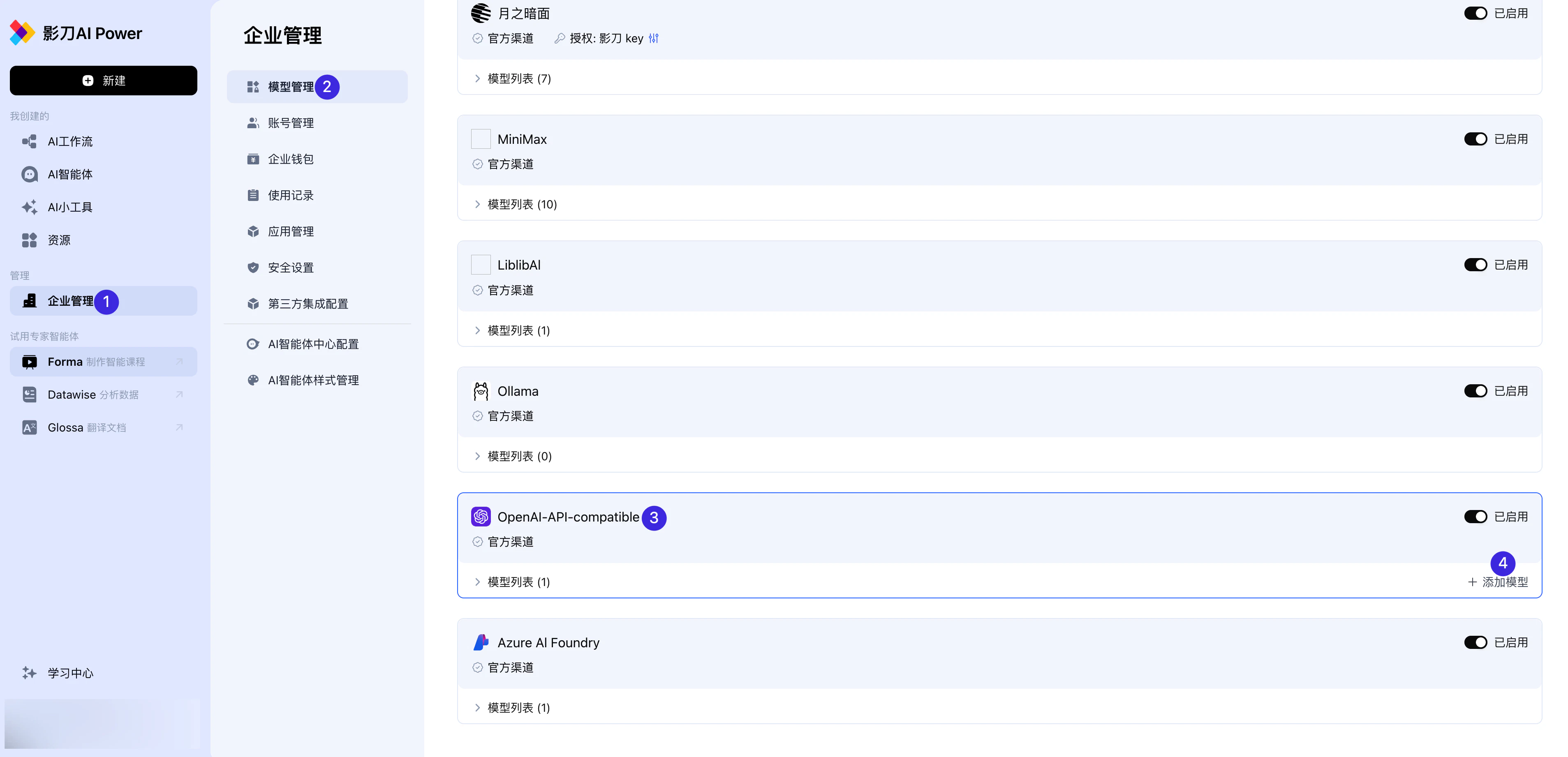
Fill in the model configuration
In the Authorization management: OpenAI-API-compatible window, fill in the fields as follows:
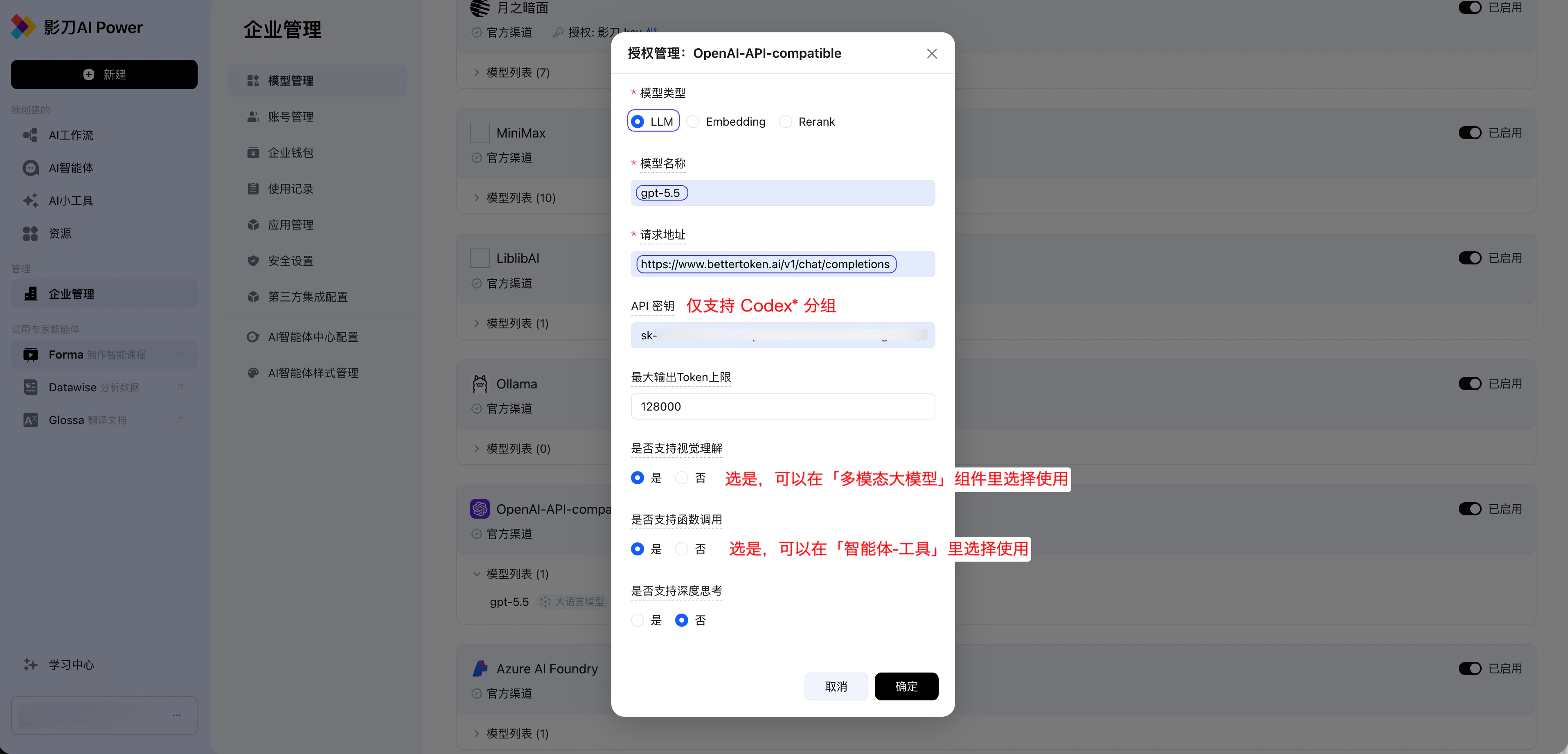
| Field | Value |
|---|---|
| Model type | LLM |
| Model name | a Codex group model ID copied from the model plaza (https://www.llmeasy.ru/pricing) |
| Request URL | https://www.llmeasy.ru/v1/chat/completions |
| API key | Select only a key that corresponds to the Codex* group |
| Max output token limit | 128000 |
| Vision understanding | Select Yes |
| Function calling | Select Yes |
Enable vision understanding
Set Vision understanding to Yes so the model can be selected in the Workflow - multimodal large model component.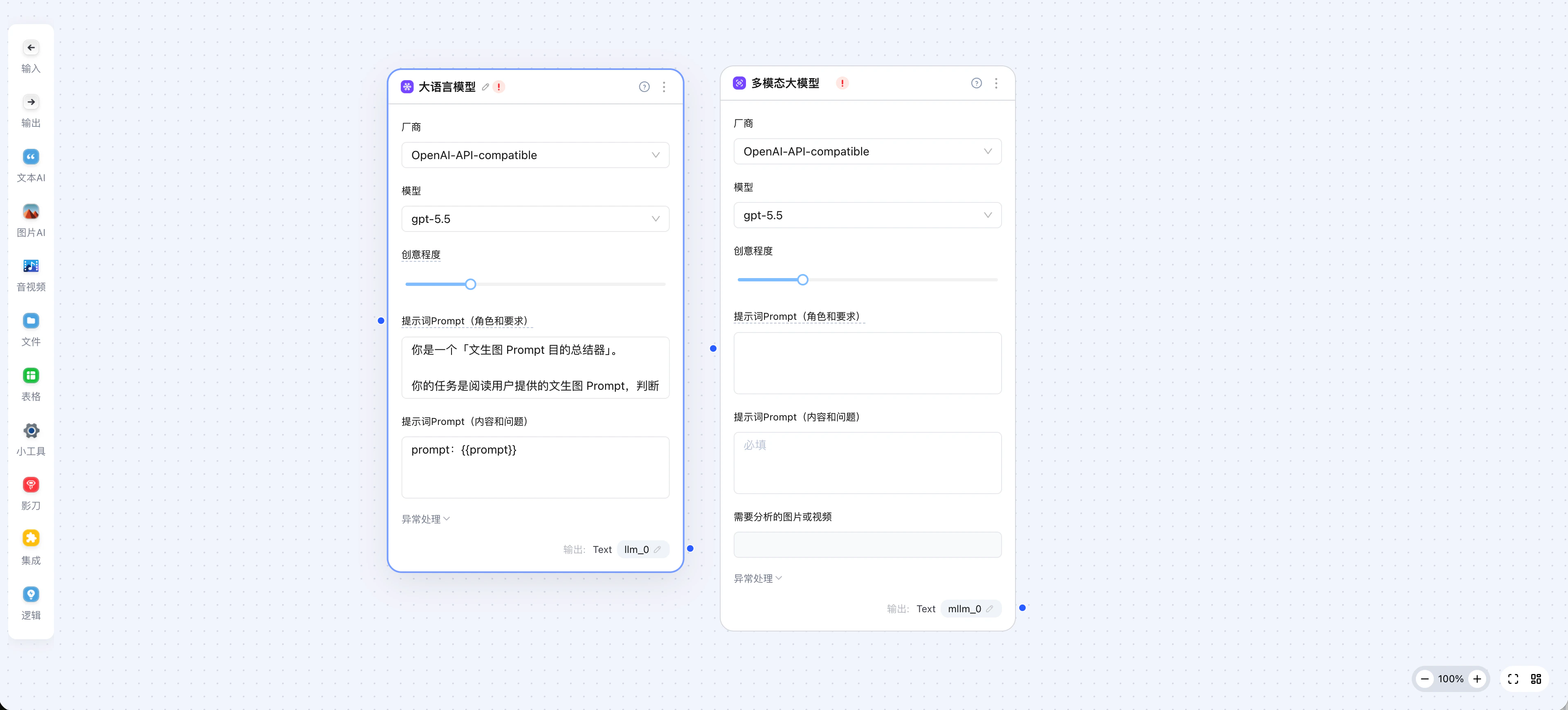
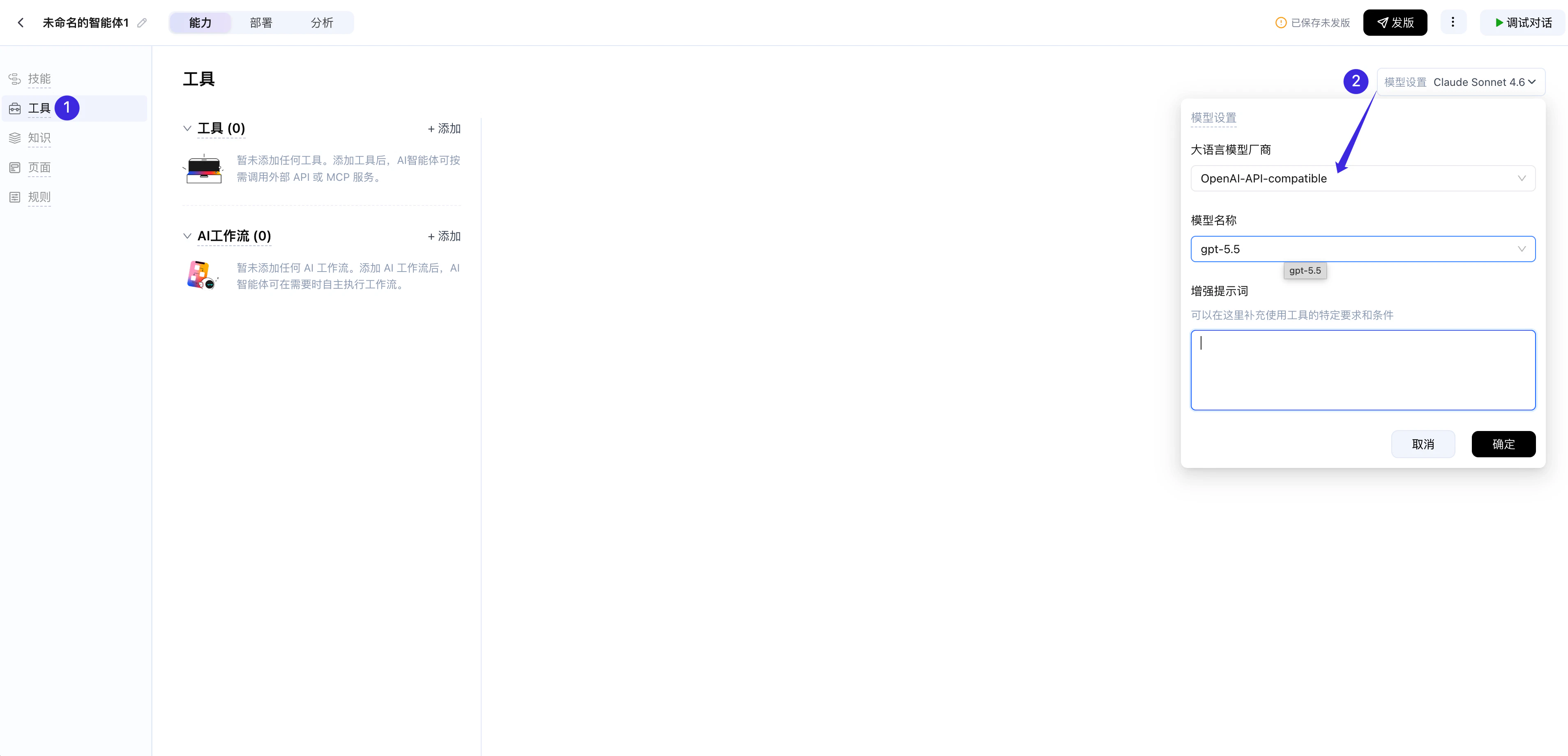
In Yingdao AI Power, the Request URL must be the full chat completions endpoint
https://www.llmeasy.ru/v1/chat/completions. Do not use only https://www.llmeasy.ru/v1.