

| Layer | Handles | Recommended source |
|---|---|---|
| Auth layer | Codex App login state, plugins, Remote Control, session sync | Official ChatGPT / Codex login |
| Inference layer | Model requests, model list, API Key usage | LLMEasy or another third-party API |
Setup options
- Configure with CC Switch
- Manual setup
This is the recommended path. CC Switch exposes the login-preserving behavior as a UI setting, which is safer for most users.
Configure the Codex API provider first
Follow the Codex CLI steps in the CC Switch guide to install CC Switch and add a Codex API provider.Fill the provider fields with your LLMEasy settings:
Save the provider, then set it to In Use.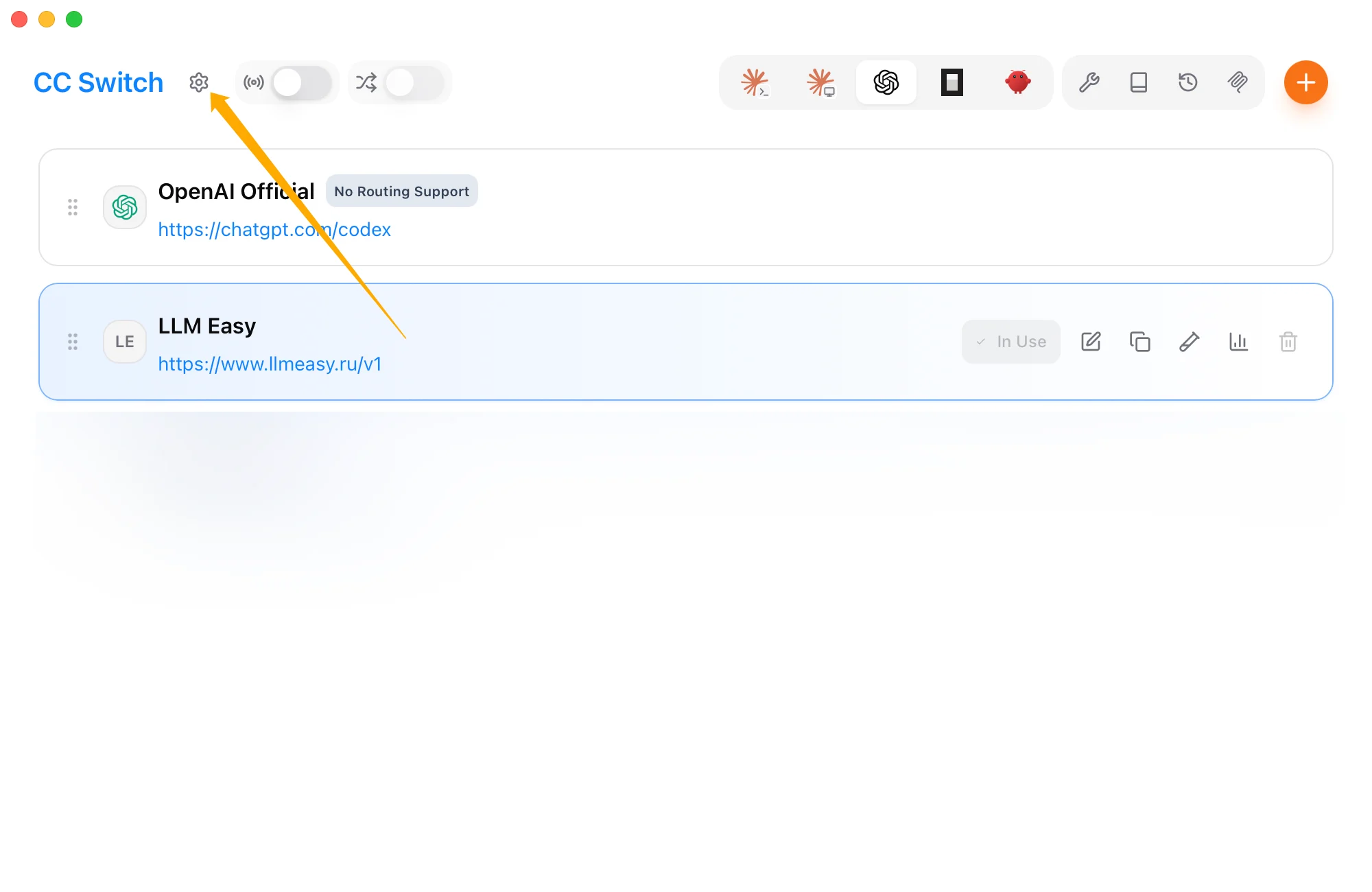
| Field | Value |
|---|---|
| Provider Name | LLMEasy or your preferred name |
| Base URL | https://www.llmeasy.ru/v1 |
| API Key | Your LLMEasy API Key |
| API format | OpenAI Responses API |
Open CC Switch settings
Return to the CC Switch main window and click the Settings icon in the upper-left corner.
Enable Codex App Enhancements
In the General tab, find Codex App Enhancements and turn on Keep official login when switching third-party providers.This keeps the official Codex App login state when you switch to a third-party provider. After enabling it, Codex App can continue using official plugins, Remote Control, and mobile control while model requests use the selected third-party API provider.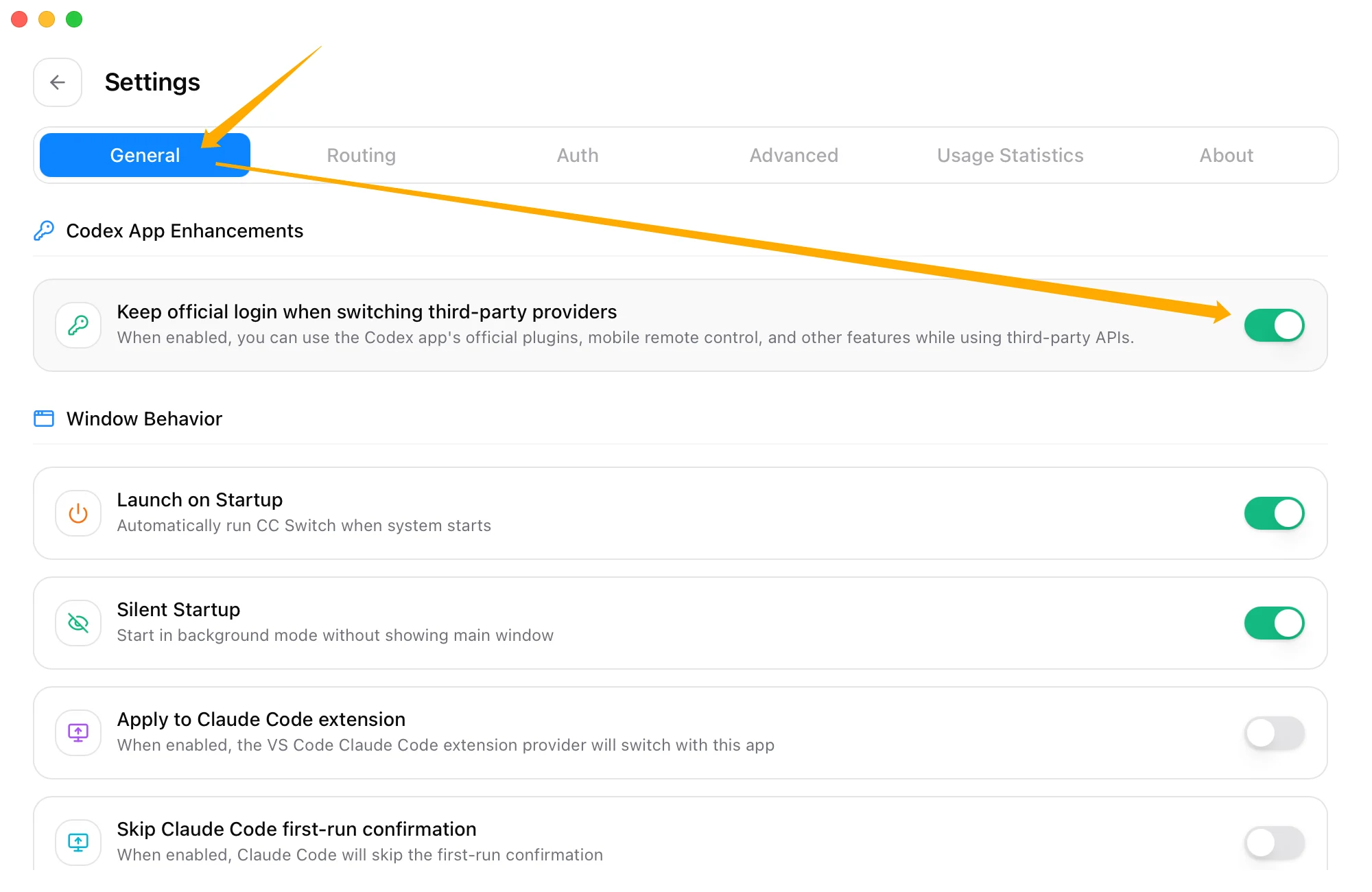
FAQ
How is this different from the regular Codex API setup?
The regular setup only makes model requests use a third-party API. This setup also keeps the official login state, so Codex App official features still work. If you do not need plugins, Remote Control, or mobile control, the regular Codex setup guide is simpler.Why not put the API Key in auth.json?
In this mode,auth.json stores the official login state. The third-party API Key belongs in experimental_bearer_token inside config.toml.
If you replace auth.json with a plain OPENAI_API_KEY object, Codex App may stop recognizing the official login state, and plugins or Remote Control may stop working.